Server lag is unnacceptable

I am sure it has been said one million times already but server side latency issues are very frustrating and problematic for a game that asks this much of it's players.
Tonight in Cryo Archive, on a team composed of 3 players all on the US west coast we wiped in Cryo twice with the help of server latency/hit reg issues. I've never complained about this before, but having it impact two DNA Access runs in a row has me wanting to quit. I should not feel this upset at the end of a night of playing games with my friends, that's just not an experience I like.
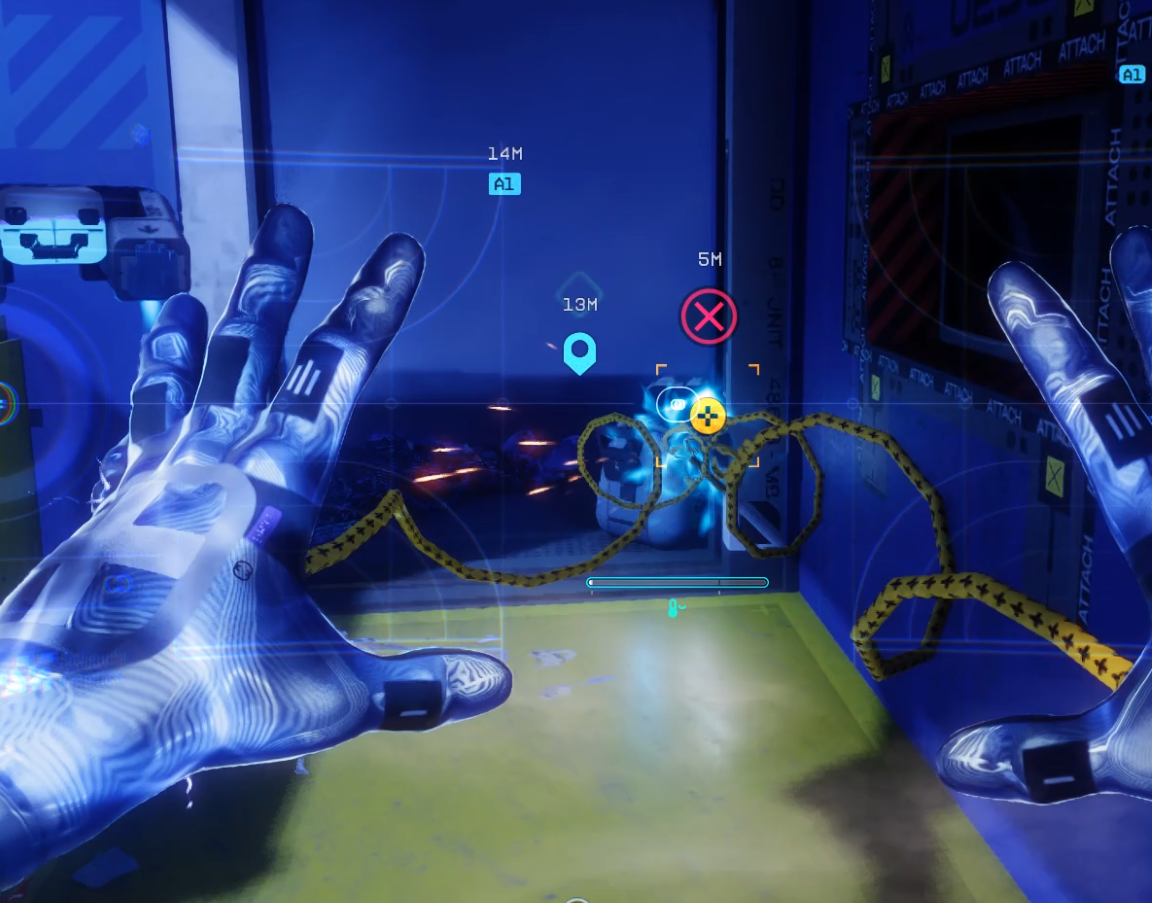
I have lost DNA runs and gold key rooms before, and it always feels OK. Losing because of server hiccups just feels BAD. Losing because you rubber band off a pipe going up to Compiler. Losing because your triage ult doesn't register the hit despite being right on the bag and having the icon visible, it just sucks.
If servers are going to be unstable there needs to be some mechanic to at least compensate players for some of their lost time. I have loved the game, and maybe it's gotten enough out of me, but I don't think I can log on again until this is resolved.
https://cdn.steamusercontent.com/ugc/14846890260802193774/C8F5449A2767F432DA1ACBF03264B15FCB5CFEB8/
I've jumped up these pipes a bunch of times, in game I could feel the connection with the last pipe and the begging of my next jump before the server decided I actually went too far slid me forward.
The screenshot below is a triage ult that did not go off! Even if there is some sort of collision happening here with the object or wall, there's no way this shouldn't be a clean revive...
My team and I are demoralized after this. Thank you wonderful experience. I'm writing this in these forums first because I don't want to pile on all the negativity Marathon receives elsewhere, but I'm so mad I might.
Sorry for the rant, please do something about this kind of thing, it's awful.

コメント
Hi there,
Thanks for reaching out!
This sounds like a connection issue of some kind is occurring and could be an internet service provider issue.
Below are suggestions that may help with your issue:
サインインしてコメントを残してください。