Bungie Answered
server errors causing my position to bug out

hi been continuously having the issue of lag in my current position had free kit so wasnt big deal but this has been a continuous issue on PS5 error occurred 1:20 - 1:26 pm PT on Outpost user id is N37#5947 if you could please investigate would be appreciated
0

Comments
Hi there,
Thanks for reaching out.
Have you received any error codes or messages on screen when playing? If you have, please let us know what showed up on screen in-game, and we'll review.
In the meantime, we recommend consulting our Network Troubleshooting Guide to explore potential solutions. If that doesn't help, the next step would be checking our Optimizing Connections page.
Not during this run in particular but in previous runs I had an error code saying "error connecting to bungie servers" this only occurred after your recent patch release before it was relatively stable
on other games i did test the connection to their network was fine and I did trouble shoot my PS5 network connection and was fine as well
Hi there,
That earlier “error connecting to Bungie servers” can be triggered either by short-term server issues or anything on the local network path that blocks our connection. If this is still occurring after today's patch, Please try the following:
Hi Just got kicked out from a match at 12:08AM trying to do a mission and got kicked from the game this is not the first time please fix this
Hello there,
If you continue to experience this, please let us know if you're seeing any error codes when it occurs. Take a screenshot of the message, post it in this thread, and we'll review.
This was the following errors that showed on my screen
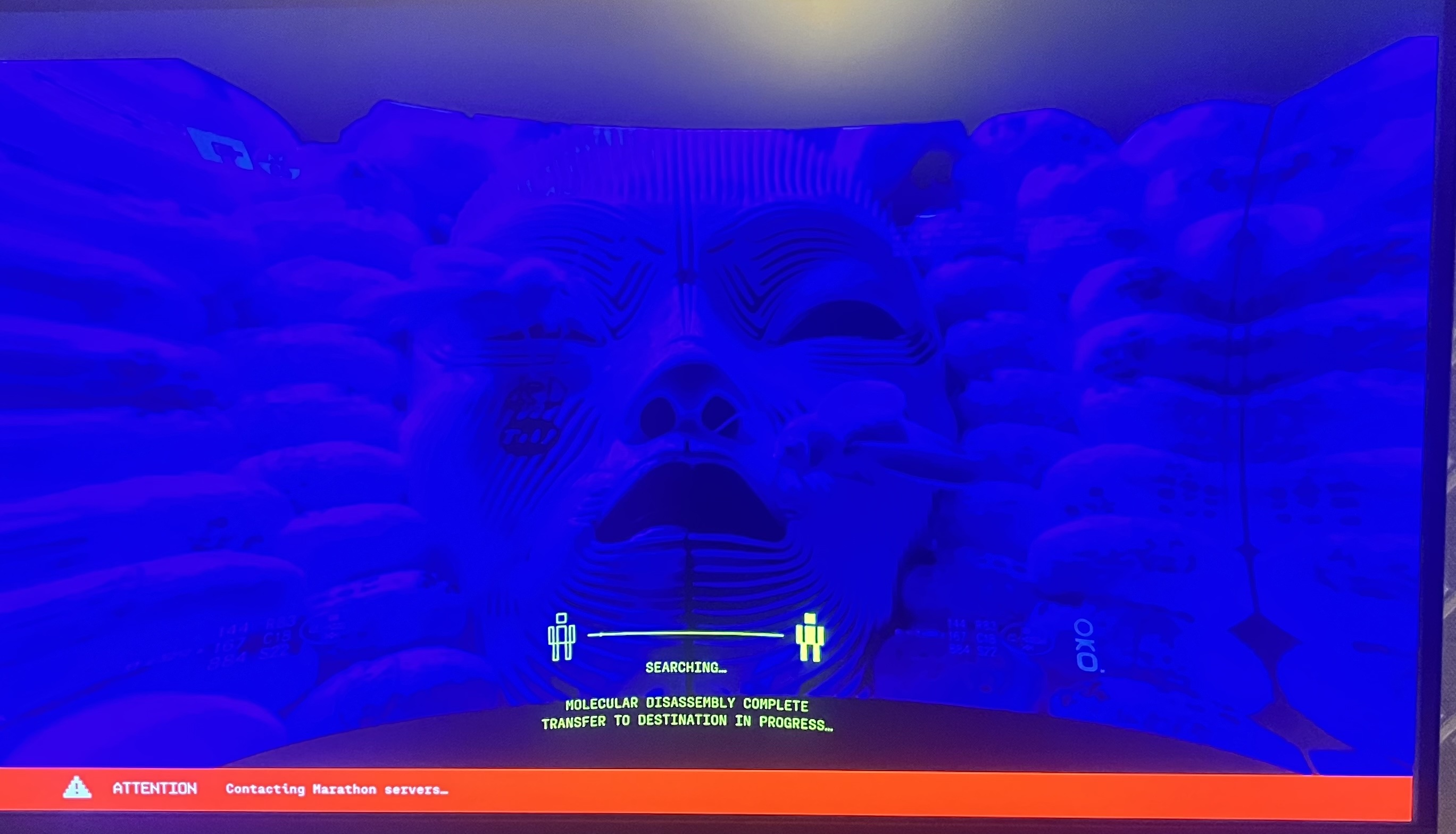
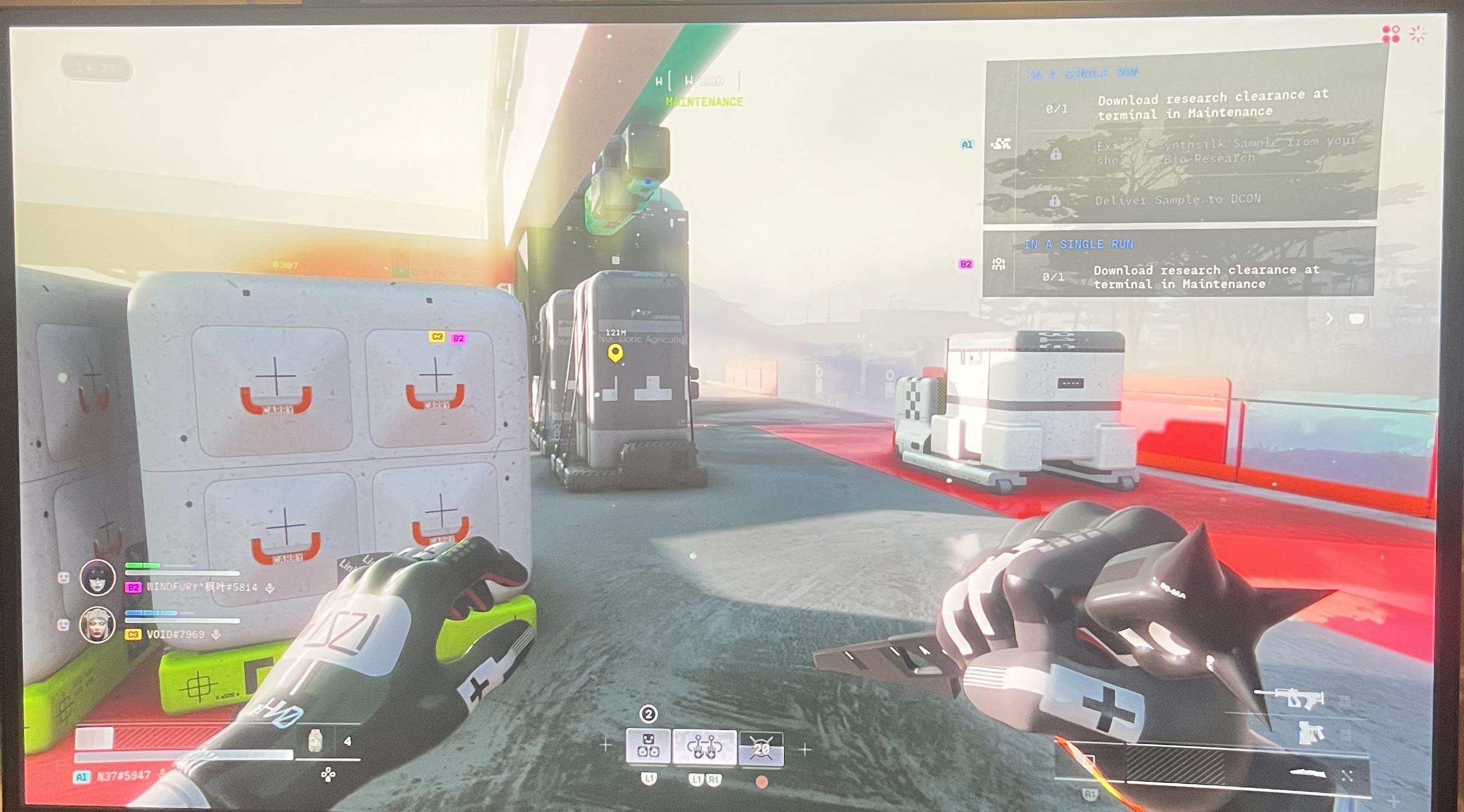
Hi there,
The red connection banner and red network icon in the top-right of the screenshots, mean the game is seeing very poor connection quality to the Marathon servers.
On PS5, please try:
Use a wired connection if possible
Restart your equipment
Check your PS5 network connection
Reduce other network usage
Avoid VPNs or special routing
If you still see the red banner and icon in every match after these steps, it likely means there’s a problem on the route between your ISP and the game servers. In that case, we recommend contacting your ISP, letting them know you’re seeing heavy packet loss or high latency in an online game on PS5, and sharing roughly when you’re playing so they can investigate.
Please sign in to leave a comment.