Bungie Answered
Marathon stuck at 6fps and won't let me get past the tutorial to fix settings

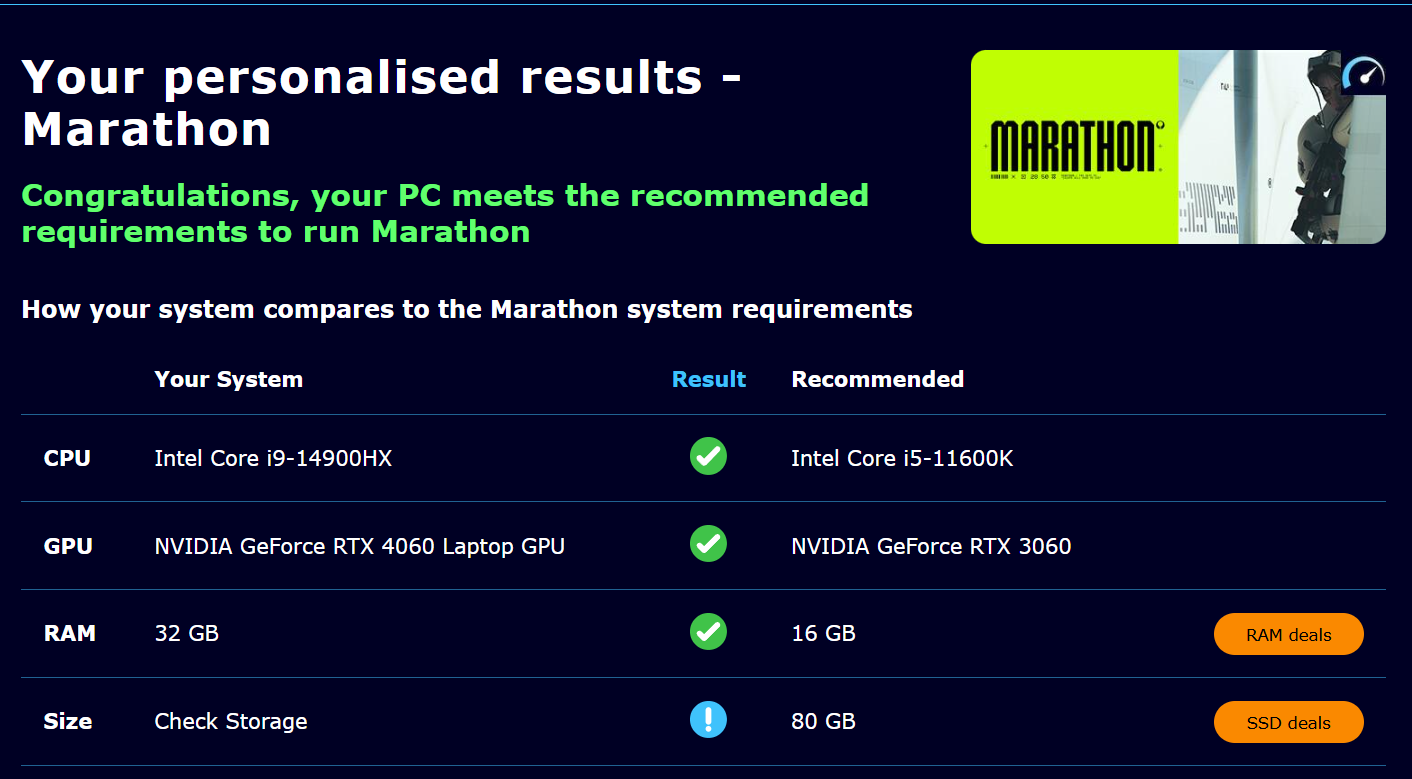
These are my specs. I can't change my settings because I need to be past the tutorial, but the tutorial won't load because my frames are too low and need me to lower my settings, and I can't access the settings because I need to get past the tutoral, it won't let me play even the tutorial due to only having 6fps. Anyone know how to fix this?
0

評論
Hi there,
Thanks for reaching out.
While it may be possible to play on certain laptop configurations, we do not officially support them per our Marathon Storage and System Requirements guide.
Because this is an unsupported platform, we’re only able to suggest basic troubleshooting steps here and can’t provide more advanced troubleshooting or guarantee a fix for this setup.
The first thing to try, is to reset the graphic settings:
%appdata%, then press Enter.cvars.xml.If that doesn't help, here are some steps to try if the above doesn't resolve the issue:
Well that's strange, I have a friend who played marathon just fine with an even less powerful laptop. Also I did all the steps mentioned and nothing was fixed. Is there any chance there will be an update to address this issue or any support for laptop players?
請登入寫評論。