Bungie Answered
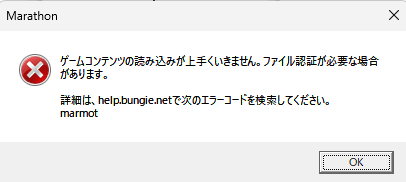
marmot

ゲームの再インストール、BattleEyeの再インストール、コマンドプロンプトを使用したシステム修復やchekdskなど思いつく限りの対処法を使用しましたが、解決しません。
0

评论
Hi there,
Thanks for reaching out! If you've already tried all steps in our Error Code: MARMOT guide, please try installing the game on another disk if available, in order to rule out any potential hardware issues. If the error persists, BattlEye may be detecting a suspicious version.dll file in your steam folder which could be causing issues with the game. Please try deleting it and try again if so.
请先登录再写评论。