Bungie Answered
游戏卡死

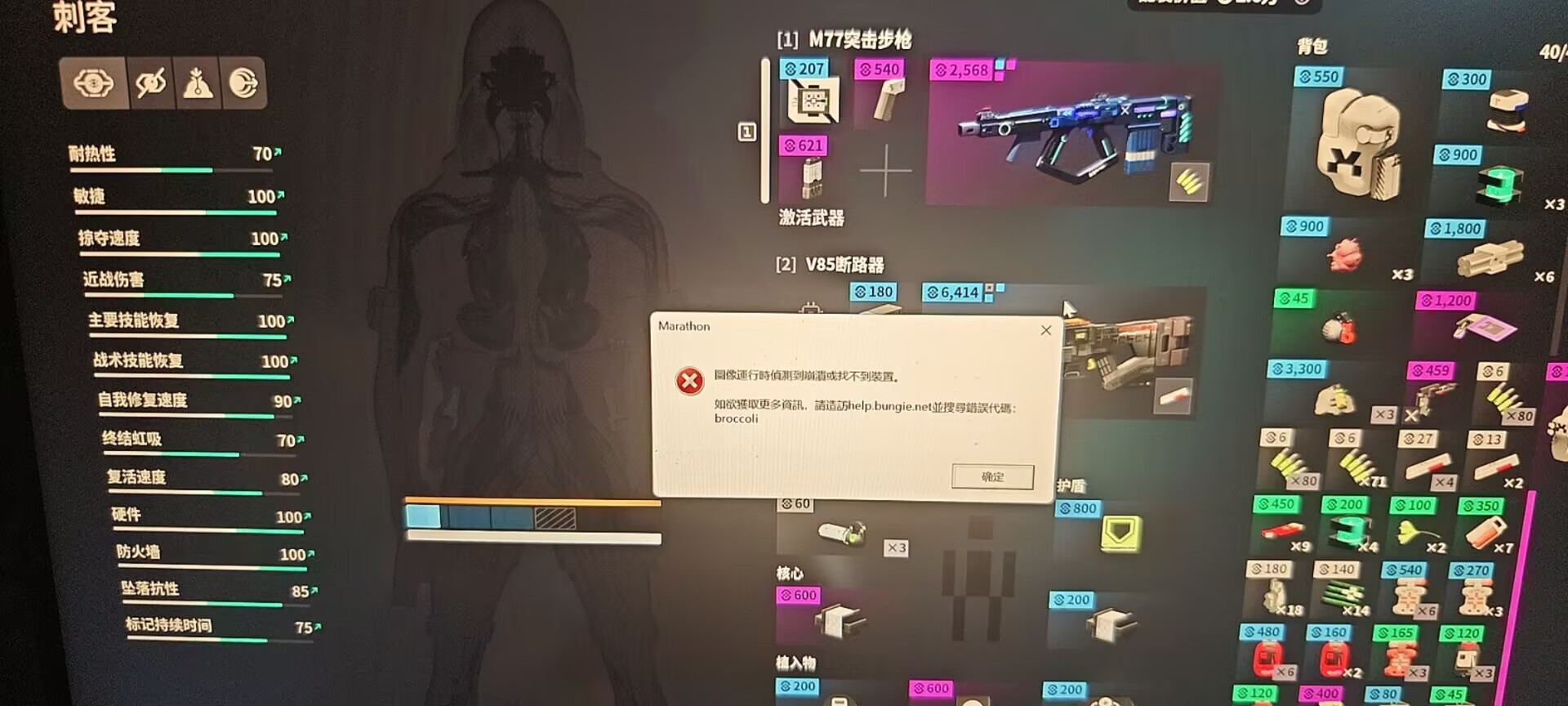 Sorry my english not good ,i need use chinese. 自从上线pve模式以来,游戏卡死问题突然存在,卡死问题没有随着最近一次更新而得到改善,这是我游戏卡死的时候,过一段时间会有的弹框,急需解决!!!目前发生此问题高发行为是:撤离开始时,刺客开启大招,泰坦开启盾牌,这些是同一时间发生的,大概率游戏会卡死,额外高发情况为我正在使用自我复活道具,还有些其他行为我并不清楚为何发生。我的平台是steam,我的电脑是笔记本电脑,品牌是legion 2023,处理器 GEN INTEL CORE i7-13650HX 内存:海力士DDR5 5600MHZ 8GB ×2 显卡NVIDIA GEFORCE RTX4060 LAPTOP GPU(8GB)
0

Comments
Hi there,
Thanks for reaching out.
I understand you're encountering the error code BROCCOLI. I'm sorry to hear of this, as I can imagine the impact this may have had.
Please try updating your graphics card drivers, or rolling back to a previous set if this occurs on the latest update. If the error continues, please double-check that the game is not using an onboard GPU in your GPU's control panel settings.
While it may be possible to play on certain laptop configurations, we do not officially support them per our Marathon Storage and System Requirements guide.
Because this is an unsupported platform, we’re only able to suggest basic troubleshooting steps here and can’t provide more advanced troubleshooting.
That being said, here are some steps to try:
Please sign in to leave a comment.