Didn't find what you were looking for?

New post
Bungie Answered

Can't change game resolution

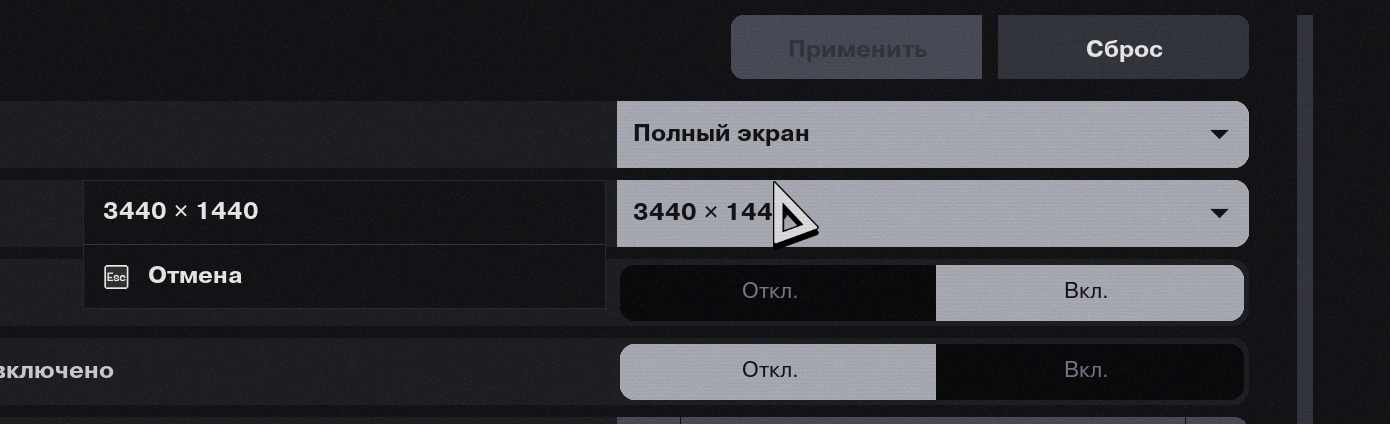
My native screen resolution is 3440x1440 and it is the only resolution I can choose in fullscreen mode.

While on full screen in game I can’t change the resolution from my native (3440x1440) to a lower one to increase performance.
0

Comments

2 comments
  • Official comment

    Hi there,

    Thanks for reaching out.

    If you want to run a lower resolution for better performance, you can try one of these options:

    Use Windowed / Borderless at lower resolution

    • In Settings → Video:
    • Set Display Mode to Windowed Fullscreen (or Windowed).
    • Now change Resolution to something lower (for example 2560×1080 or 1920×1080)
    • Apply, then keep playing in that mode (borderless window at a lower resolution).

    Option 2 – Temporarily drop desktop resolution

    • In Windows Display Settings, temporarily set the monitor to a lower resolution (1920×1080 for example)
    • Launch Marathon, keep Display Mode: Fullscreen, and pick 1920×1080.
    • When you are done playing, switch Windows back to 3440×1440.
  • Thanks, the second method works for me. Hope you fix it in the upcoming patches.

    0

Please sign in to leave a comment.