Missing Twitch Drops - 11 items not appearing in-game

Hello Bungie Support Team,
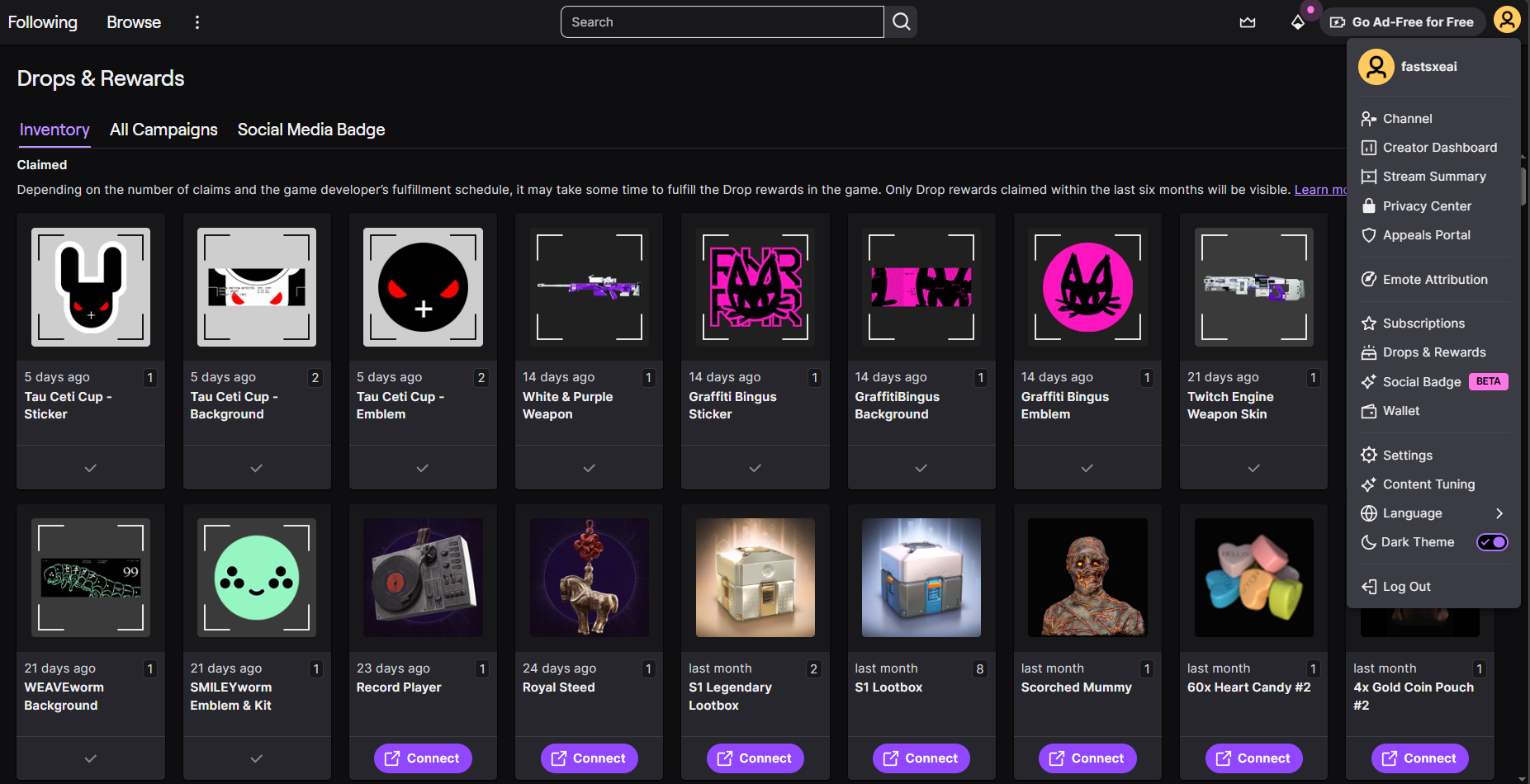
I am writing to report an issue regarding Twitch Drops. I have successfully earned 11 items across three different Drop campaigns, but none of them have appeared in my game customization options or collections.
I have already double-checked my inventory and the "Partner Rewards" section on Bungie.net multiple times, yet the items remain missing.
Account Information:
-
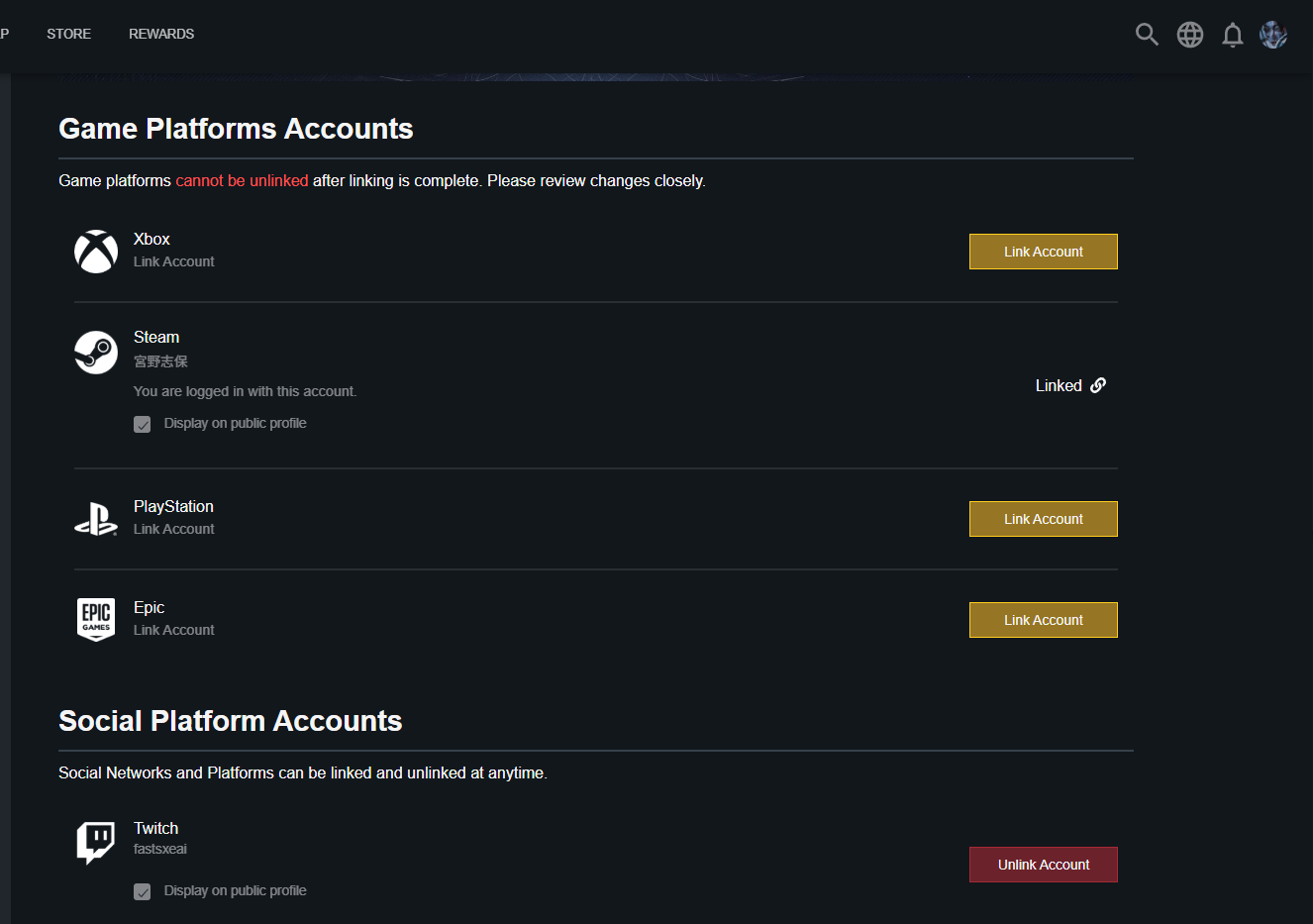
Platform: Steam
-
Steam Username: 宫野志保
-
Twitch Username: fastsxeai
-
Bungie ID: 宫野志保#9366
Steps I have already taken:
-
Verified that my Twitch account is properly linked to my Bungie.net profile.
-
Claimed all rewards in the Twitch Inventory.
-
Restarted the game client multiple times.
Could a member of the staff please look into my account and help me resolve this synchronization issue?
Thank you for your time and assistance.

Comments
Hey there,
Thank you for the report.
Please keep an eye on your account’s Customizations for your missing Twitch Drops.
If your owned emblems are not showing up, you can try resorting the Customize > Profile menu by All or Owned to make sure that all of your emblems are showing up in game. This should correct a visual issue that can hide owned emblems.
Please sign in to leave a comment.