Bungie Answered
Error Code: Currant

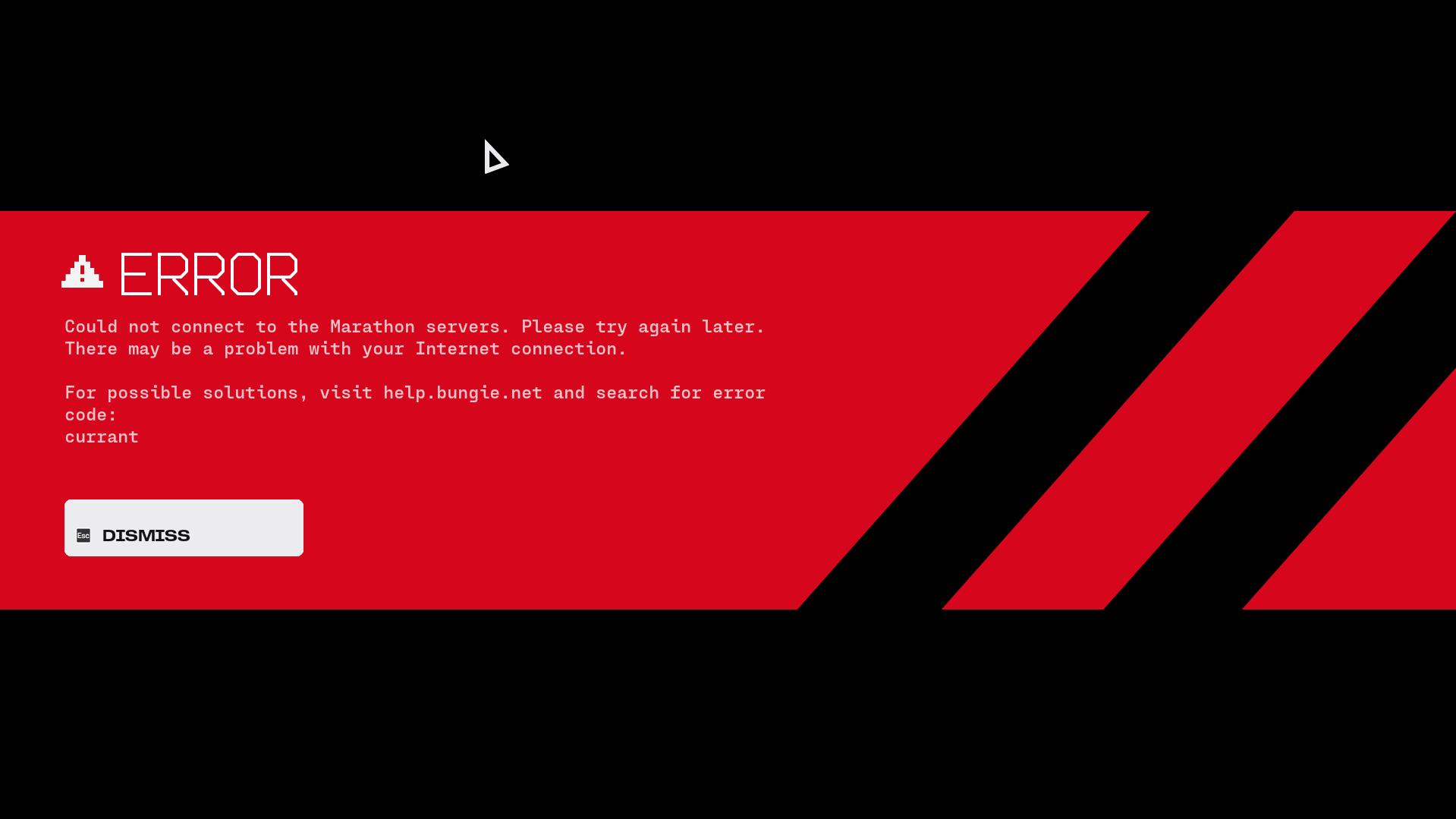
Cannot enter game, it just shows this error, this shows before doing the tutorial.
3

Comments
Hello there,
Thank you for reaching out to us.
We understand you're encountering error code Currant. We're sorry to hear of this, as we can imagine the concern this may have caused. We are actively monitoring the occurrence of this error code. As this is a networking error, as a first step we recommend ensuring your current connection is working as intended.
If it appears your connection is working, but you still encounter Currant, then you may wish to see if Network Troubleshooting helps to resolve this.
Same issue here
same here ! it worked at some point and i got in a game, but i immediately got one shot and now have the issue again
same
edit: restarting the game works for me
For me as well...
same here
Same issue
Yeah man I am EU west this happens to me every game after doing the tutorial
Cant even do the TUT. Error appears after u press Left mouse to start.
Same exact issue, getting CURRANT when trying to matchmake (enter the tutorial), no additional errors, nor any network issues from my side
Repair the game over steam worked for me.
ANybody found i fix i repaired. and reinstaslled 2 times and its still not working. tried for the last 50 min
Getting the same error when trying to queue with a friend from East side of Canada, I'm from Poland. Queuing with a friend from UK works fine. Same if the two of them queue together, its only when I queue with the Canadian friend that the error pops up for me.
EDIT: After using a VPN to connect to UK, it finds the game just fine with no errors.
i just want try the game ...
Any grown up in here that knows how i can get the Pop up windows thingy where it ask to connect to my network where you have to allow it? how is it i get that up when i launch the game?
Tried disabling windows defender as some thread stated it could be an issue with the anti virus, however same issue persists
Ive spent 1 hour and 20 min on it now
Im over it.
same issue, have got into 3 games so far in almost 3 hours the rest of the time getting this error :(
I have the same issue. I'm in Algeria.
Sure, Bungie team.
When 99.99% of other games run perfectly and only Marathon has issues, it’s obviously the user’s internet that’s the problem. Our fault, of course. 🙂
Been really hyped to try the game but after an hour of trying to get in the game and only getting the error code Currant Im done. its a joke
Same here. First i thought it could be La Liga banning any IP related to Bungie or Game servers. But after almost two hours i just get the error every single time..
Same here. 30 minutes now.
had initially the same issue when I booted up the game the first time, as it was trying to put me into the tutorial instance, kicking me back to the yellow-green screen where you have to click to proceed, which I did again, & then it worked.
After that, I had the currant error again, when trying to infill with a friend of mine (she's been our lobby host through all this), & this time, just re-queuing didn't work.
I re-started the game, accepted her invite, & this time we got into a match successfully.
But every time after a match, I got the currant error whenever we queued up for the next match again, so I always have to restart the game after every match, to prevent the currant error. (something to note: steam overlay & discord overlay were on - will try tomorrow again with both off) (note 2: my friend is in UK, I'm in Switzerland - we're both playing on Steam PC) (note 3: my Bungie account is originally from my xbox account for Destiny 2, before turning it into its cross-save account & linking it with my steam account, in order to play Destiny 2 on Steam PC)
Update 1: played last night again with the same friend, with her matchmaking lobby again - this time I've had no issues, I was able to play perfectly fine.
What changed since my initial report: I've disabled steam & discord overlay, & then verified the game files on steam.
Same issue on PS5. Multiple attempts, other games are fine obviously
On steam and yea, same issue here. Queue for match -> Error code: Currant
Gg I guess
Same, I reinstalled and my network is fast and stable
PS5 Here, my Download and Upload speed are fine, I've tested other games without any lag or ping issues. Currant just keeps me from even playing the Tutorial and I've been trying for hours. I'm in the UK, so I would have assumed I'd have a good connection even to USE servers as I do on other games.
I found a fix for myself: flushing dns
1. start cmd with admin
2. type ipconfig /flushdns
3. restart pc
Could finish tutorial and play 4 games
Playing via Steam on PC.
I am encountering the "currant" error in two ways:
1) Playing with my partner who is on Xbox; and
2) Playing solo on the PC
We are able to enter a raid but upon exfil, we must restart our games in order to get into another raid. If we do not restart our games, we are met with the "currant" error.
Both NAT types are open, we are able to play other games without difficultly or error, and our download/upload speeds are fine on both the PC and Xbox. We are playing on the same network but with dedicated serves, this shouldn't be an issue?
Please sign in to leave a comment.