Marathon Creates Infinite Duplicate Entries in Windows Volume Mixer (App List Continuously Expands)

While Marathon is running, opening the Windows Volume Mixer causes the game to continuously generate new duplicate entries under the “Apps” section.
Instead of appearing as a single application, Marathon repeatedly creates new volume sliders, and the list keeps expanding downward in real time. The entries appear to regenerate infinitely.
Because of this, the correct/active Marathon audio slider keeps moving further down the list, making it difficult or impossible to reliably adjust the game’s volume through Windows. The only workaround is to adjust volume inside the in-game sound settings.
Steps to Reproduce:
-
Launch Marathon via Steam
-
Open Windows Volume Mixer (Settings → System → Sound → Volume Mixer)
-
Locate Marathon under the “Apps” section
Result:
New Marathon entries continuously generate, pushing previous entries downward and expanding the list indefinitely.
Expected Result:
Marathon should appear as a single application entry in the Windows Volume Mixer.
Actual Result:
Multiple Marathon entries continuously regenerate, creating an expanding list of duplicate volume controls.
System Specs:
-
OS: Windows 11 Pro (Version 10.0.26100)
-
CPU: AMD Ryzen 7 7800X3D
-
GPU: NVIDIA GeForce RTX 4060 Ti
-
Driver: Game Ready Driver 591.86 (Jan 27, 2026)
-
RAM: 32 GB
-
Monitors:
-
Acer CB242Y – 1080x1920 @ 100 Hz
-
MSI G27C5 E2 – 1920x1080 @ 165 Hz
-
-
Installed on SSD
Additional Notes:
-
Entries appear to generate continuously while the game is running
-
No error messages appear
-
Issue does not occur with other games
-
In-game sound settings function normally

Комментарии
I have the same issue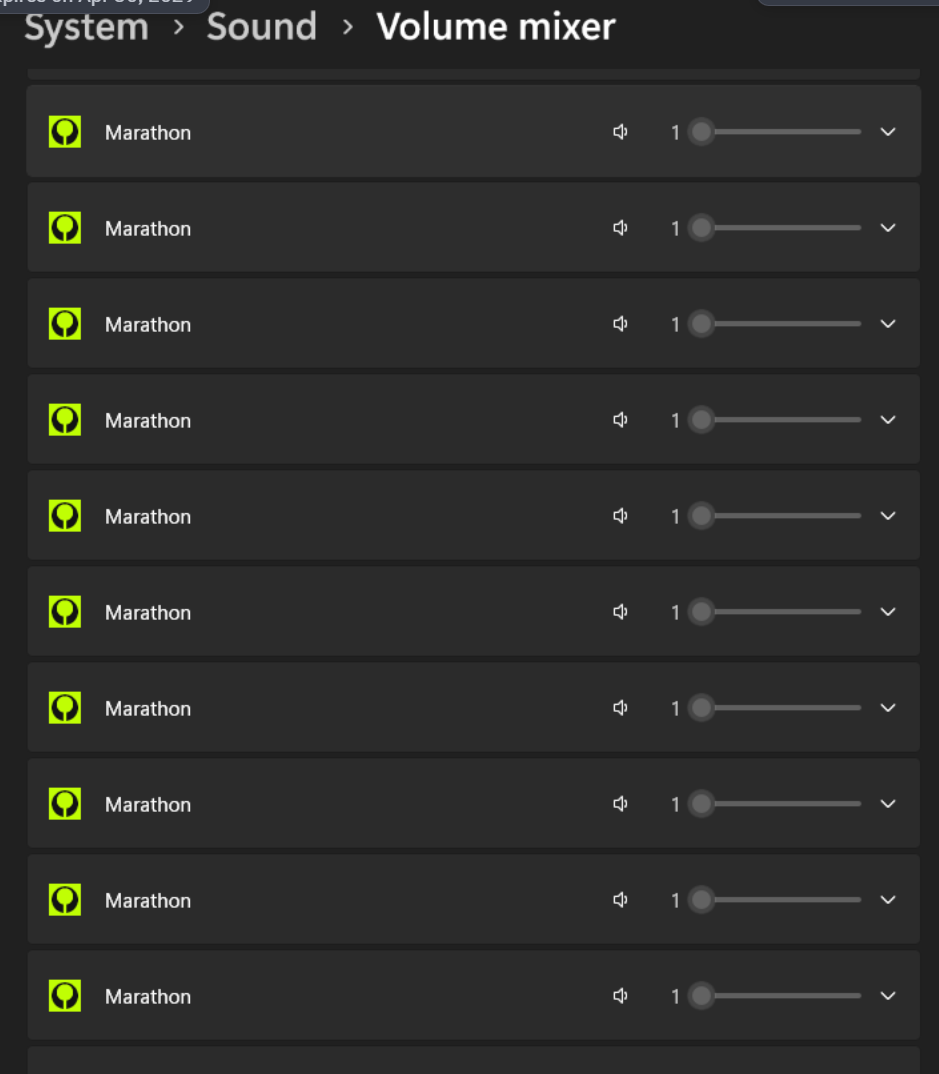
Войдите в службу, чтобы оставить комментарий.