Bungie Answered
DLSS Frame Generation crashing when trying to enable it on the settings menu

Game freezes and crashes when I select DLSS Frame Generation on the Graphics settings.
I'm using a RTX 4060, and NVIDIA Smooth Motion, if that tells you guys anything.
Will try to enable the setting without Smooth Motion later today and report back, but, if anyone solved
this issue already with some other method, please, let me know.
Thanks in advance!
1

Comentários
Hi there,
Thanks for reaching out and reporting this!
As a first step, we recommend verifying game file integrity through Steam to see if that helps. If the issue persists, please ensure that your drivers, version of Windows, and BIOS are all updated to their most recent versions. If the previous options haven't helped, please try uninstalling and reinstalling the game.
After doing all of the above, if the issue still happens consistently whenever you toggle these options, could you please try to capture a brief video that demonstrates this? You can upload the footage to a public video hosting site, like YouTube, then post the link here and we’ll be glad to take a look. Additionally, please include your system specs and any other details you feel are pertinent to the issue.
Hi Bungie Support person, thank you for the quick reply!
Drivers are all up to date, this is not my first rodeo, come on now...
Good news, though. Verified the system files but the crash persisted, so I deactivated Smooth Motion on the NVIDIA App and it solved the problem!
Thank you for your time!
See you Tau Ceti-side :)
Hi, i had the same, change frame change settings, apply, boom crash, broccoli error.
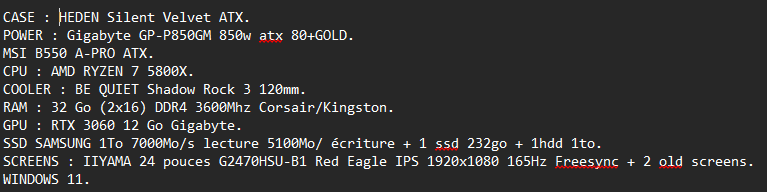
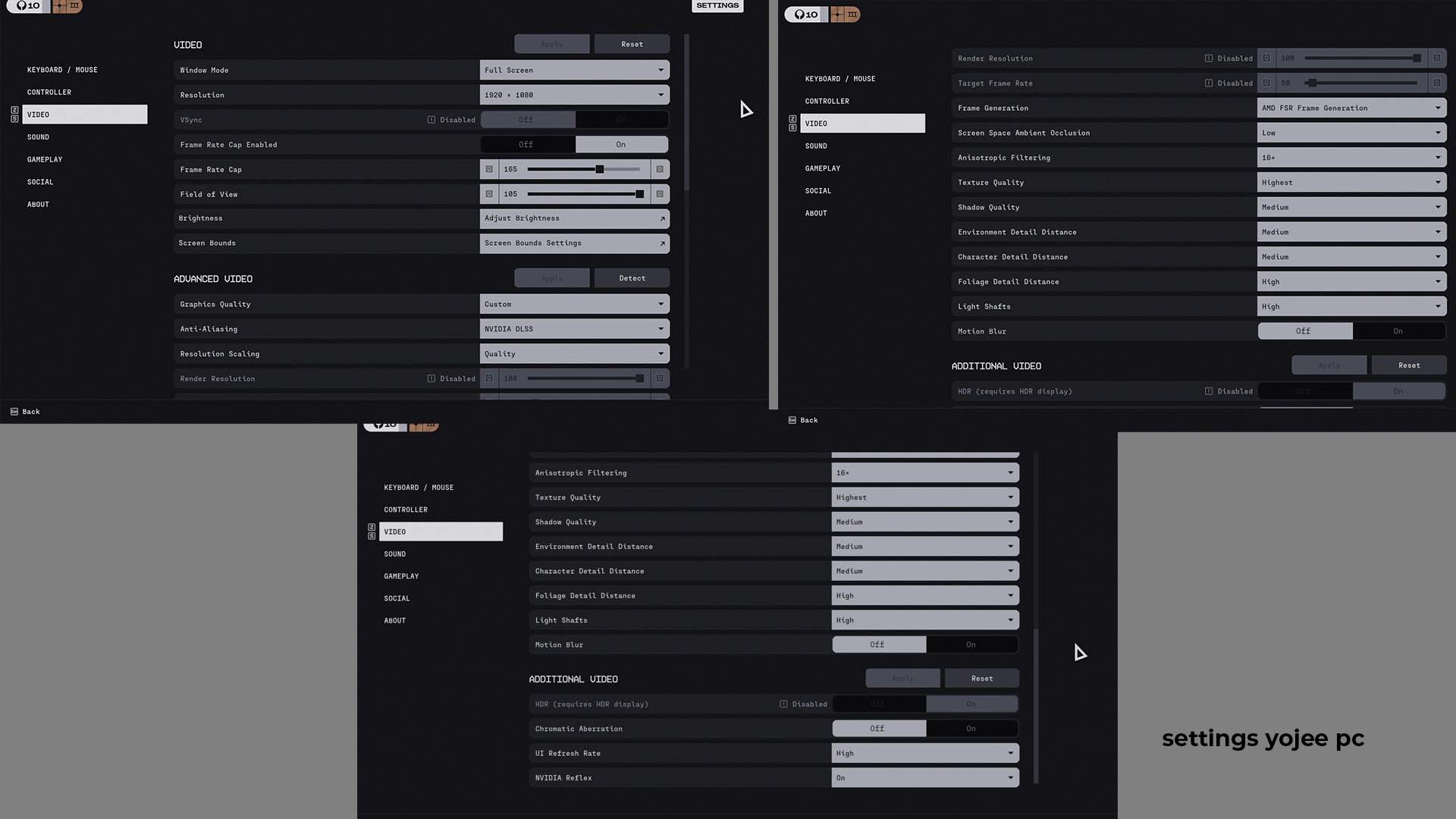
i had smooth option off.
Hi again,
Thank you for the added details! We've passed this on to the team so they can look into it.
Por favor, entrar para comentar.