Bungie Answered
Lagging at starting screen

Platform: Steam
Description of the Issue: Extreme lagging
Rough Date and Time of issue: From 03/June/2026 until the present, I still have the same issue every time I try to boot the game.
Even though my system is enough for the recommended requirments, I always have the issue that makes my frame less than 1 per second every time I boot up the game. I can't even get past the Sony intro screen.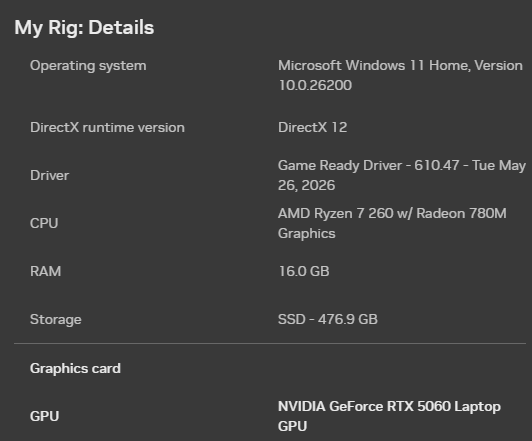
My laptop model is Acer Nitro V 16 AI
0

Komentarze
Hi there,
Thanks for reaching out.
While it may be possible to play on certain laptop configurations, we do not officially support them per our Marathon Storage and System Requirements guide.
Because this is an unsupported platform, we’re only able to suggest basic troubleshooting steps here and can’t provide more advanced troubleshooting or guarantee a fix for this setup.
That being said, here are some steps to try:
Zaloguj się, aby dodać komentarz.