BROCCOLI crash error on game start-up/tutorial NVIDIA

Hello! I am currently dealing with the broccoli error when attempting to play marathon.
Setup:
dual monitor - Acer XB271HU and Asus XG349C
MSI 2080ti Trio
Ryzen 5800x
DDR4 3200hz 32gb ram
I have updated drivers, reverted driver, reinstalled the game, verified filed, restarted pc, manage 3d settings through NVIDIA control panel for the Marathon Application, disabled an individual monitor, played in window and full screen, and disable/enabled game optimization through windows and NVIDIA. During the tutorial, I found through task manager, that my 3D rendering of my GPU peaked at 100% during the moment of the crash which led to me making this post. PLEASE HELP! I have been wanting to play this and I missed out on the beta and server slam. I have high hopes for this but unfortunately I have not been able to get started on the game. 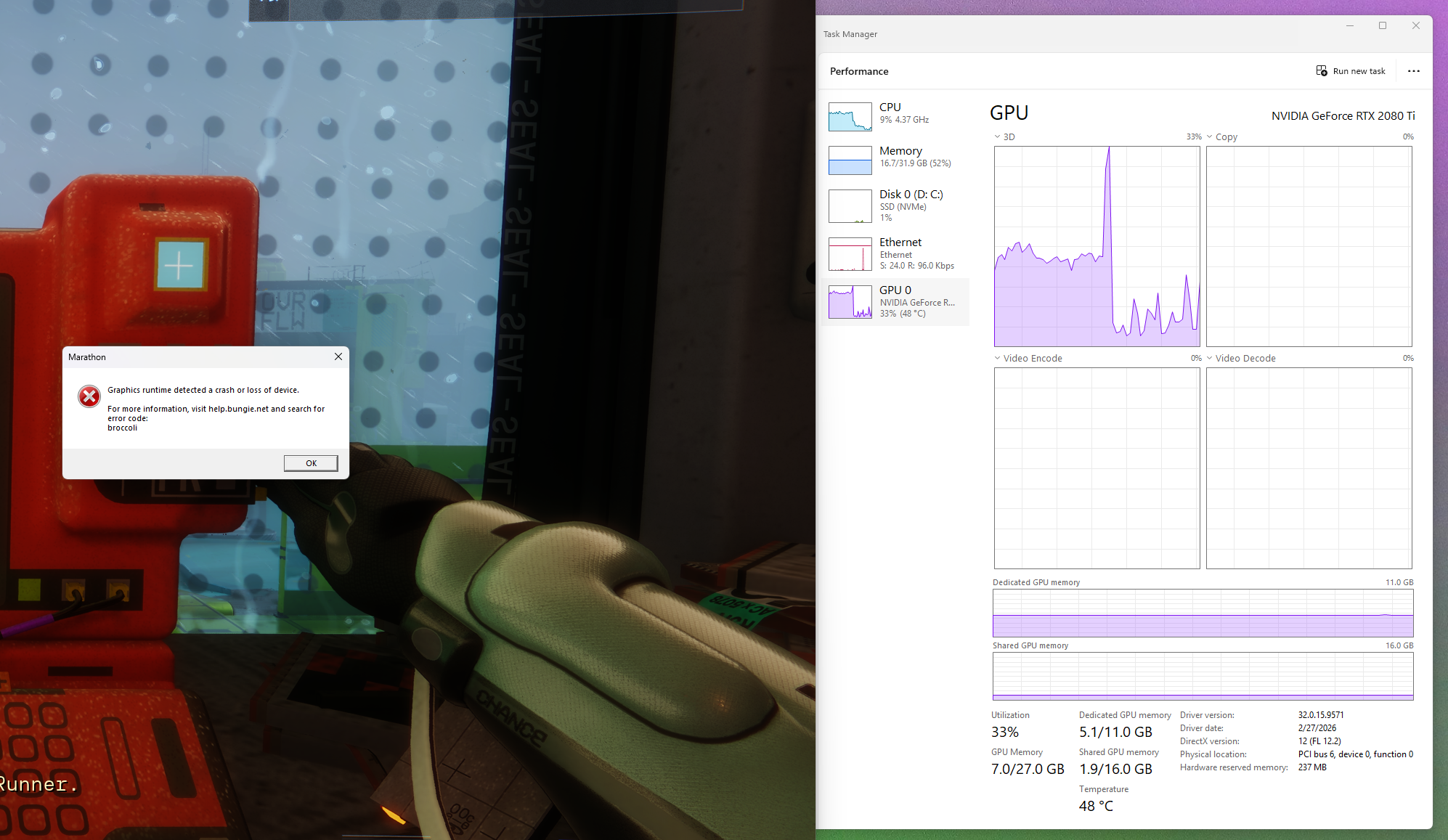

Komentarze
Hi there,
Error code: BROCCOLI signifies a problem with the detection of the player’s GPU, often due to a driver crash.
To try and resolve this issue, players are advised to keep their Operating System and Graphic Drivers updated to the most recent version.
If you haven't already, we recommend that you update your graphics card drivers directly from the manufacturer’s website. This will ensure you have the most up-to-date drivers and can help resolve these types of issues.
You may want to try the following steps as well:
If you're still experiencing this after trying the above, please note that we're investigating reports of similar issues on certain AMD CPUs and hope to have it resolved as soon as possible.
UPDATE: My buddy, who has the same PC build except for a Intel I9 13900k cpu, was able to get it to boot first try so maybe its a Ryzen problem? Any assistance will be appreciated.
Same issue here, i9 12900k 4090 can't even make it past tutorial without it crashing error code broccoli
Zaloguj się, aby dodać komentarz.