Voice chat appears to be assigned to a non functional mixer channel

Running Windows 11, using a HyperX Cloud Alpha Wireless.
The symptom is that you can hear all sounds in game, and can even hear voice chat for others, but cannot speak in voice chat yourself. The mic functions correctly (responds to normal tests of mic function, listening pass through channel functions, audible in other recording destinations.) The outer ring of the player avatar does not light up, indicating that Marathon cannot hear any mic input.
This is true no matter what device I select, default or no, and even with all other devices disabled but the one I choose to use. I have tried using an external mic, a mic off a webcam, line in, same effect.
Notably, when I look in the Windows 11 volume mixer, I get this: one Marathon mixer channel that appears to behave normally, and another that has totally unresponsive controls.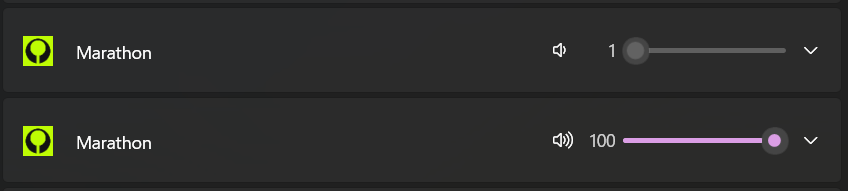
What is especially fun is if you turn voice chat on and off inside Marathon, another 1-volume Marathon audio channel you can't interact with shows up, with no apparent limit as to how many times this can happen.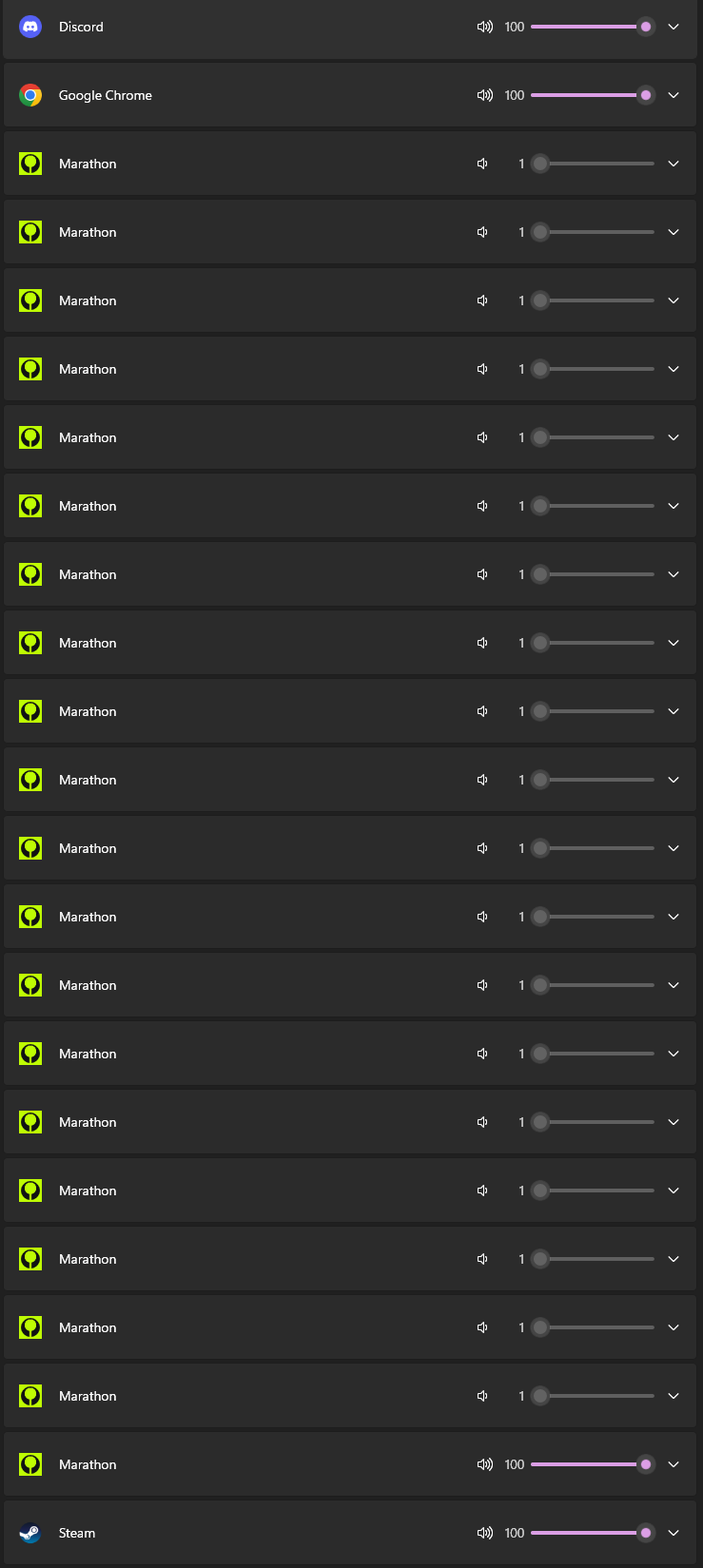
This usually means that the software and Windows' audio services are not working together correctly.
I have tried:
Driver reinstall
Windows audio services reset, Windows endpoint service reset
running things that work otherwise with it, closing all those other things
setting exclusive mode, turning off exclusive mode
Uninstalling anything that even looks like it might be trying something persistent with Windows audio services

댓글
Hi there,
Please try the following after opening the game, and let us know if this works for you:
Note also that the HyperX Cloud Alpha Wireless is *not* a Bluetooth device. It uses a dedicated dongle.
"Handsfree telephony" does not apply to this device, as it is not a Bluetooth device. I already have the Bluetooth audio gateway service disabled, despite this having no effect on this particular hardware.
There is no Services tab for this device on the legacy devices screen you mention (accessible by a shell command nowadays, "shell:::{A8A91A66-3A7D-4424-8D24-04E180695C7A}"
Here is a strange workaround:
Enable an input you aren't using (I chose line in.) Set that input as default.
Then, choose the microphone in Marathon. Don't use default device.
If you look at mmsys.cpl with Marathon running, you may see that no audio is visible on the level meter for the thing set as default, whereas the microphone will indicate something.
In my case, this allowed me to use the microphone (but now I can't select default on any input.)
You may wish to try changing your headset's audio setting to Stereo if it's currently set to 7.1. A user in another thread reported that doing so allowed them to use the in-game voice chat.
댓글을 남기려면 로그인하세요.