Bungie Answered
Game initialize failed, error code potato

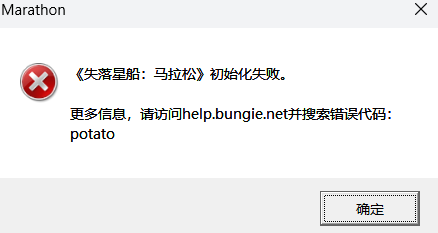
System:
- 32GB RAM
- RTX 4080
- Windows 24H2
- Intel(R) Core(TM) i7-14700K
0

コメント
Hi there,
Thanks for reaching out.
I'm sorry to hear that you are seeing this error code.Could you please try the following to see if it helps resolve the issue:
thanks for reply!
I tried the actions one by one (start the game after each step) and find the root cause is the Antivirus software.
Everything works well after whitelist the marathon folder.
Hopeful this message can help others who get similar issue
サインインしてコメントを残してください。