[Bug]: Truncate text “active completion” – italian language

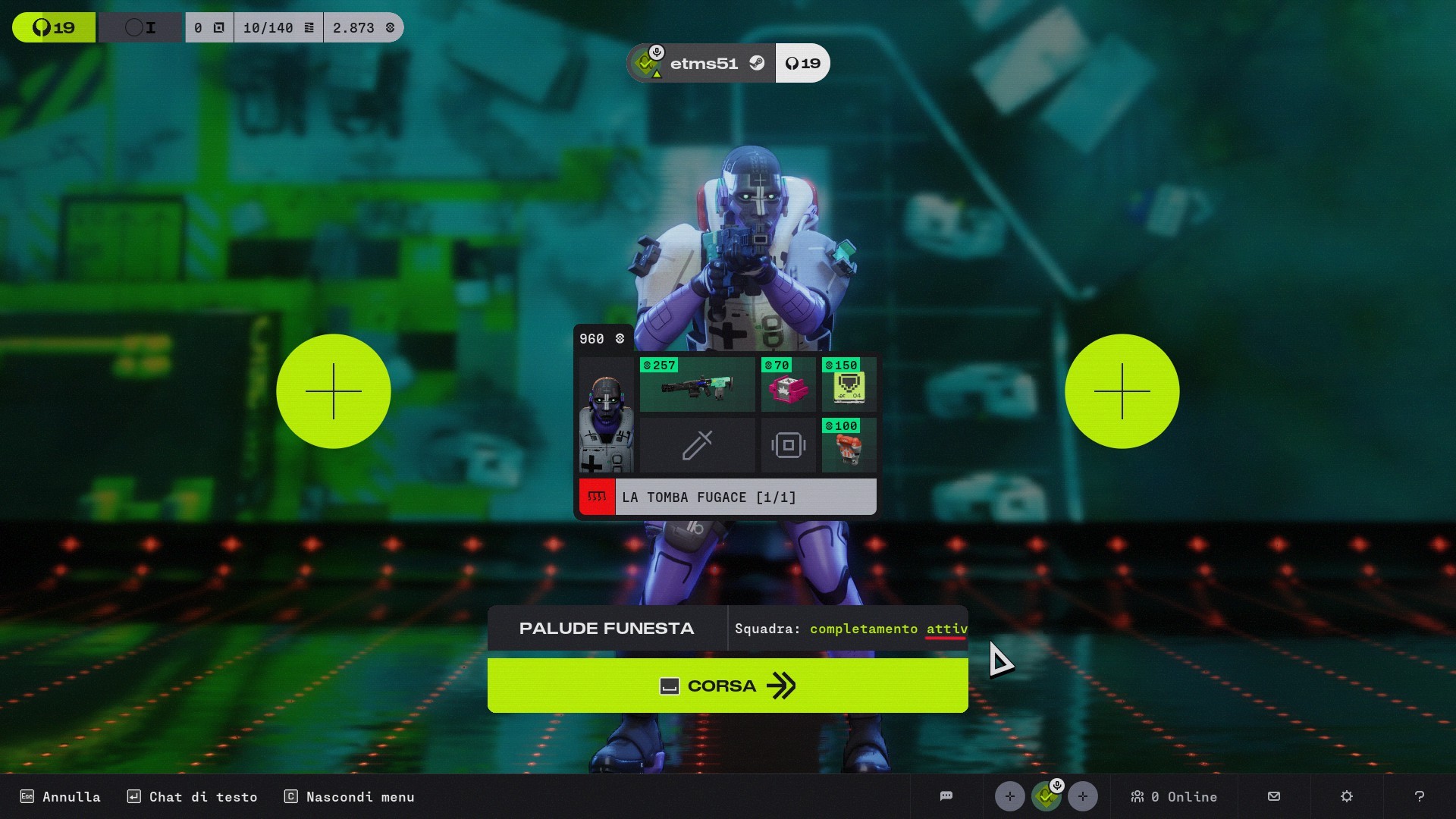
Description: When I'm in the lobby with my character, I click on the green "Get Ready" button, then the game tells me to select the map, so I select one of the three maps. The next screen is this one, where there's some text that's truncated in Italian because it's too long (Screenshot 1). If I press the space bar for the first time, the text is partially visible, but it's still truncated (Screenshot 2).
Step by Step:
- I launch the game on Steam.
- I'm in the main menu and press the green "Get Ready" button.
- Here I'm given the option to choose one of three maps, and then I click the "Select Area" button.
- The following screen appears, with truncated text in Italian because it's too long (Screenshot 1).
- If I press the spacebar for the first time, the text is partially visible, but it's still truncated (Screenshot 2).
2.a)Truncate text show: “Completamento att”
Right text: “Completamento attivo”
2.b)Truncate text show: “Completamento attiv” (*)
Right text: “Completamento attivo”
(*)PS: Qui per risolvere il problema bisogna cambiare il testo come “Completamento attivo “
Language: italian
Platform: PC – Steam
ID Bungie: etms51#7842
Screenshot:
Image 1 =>
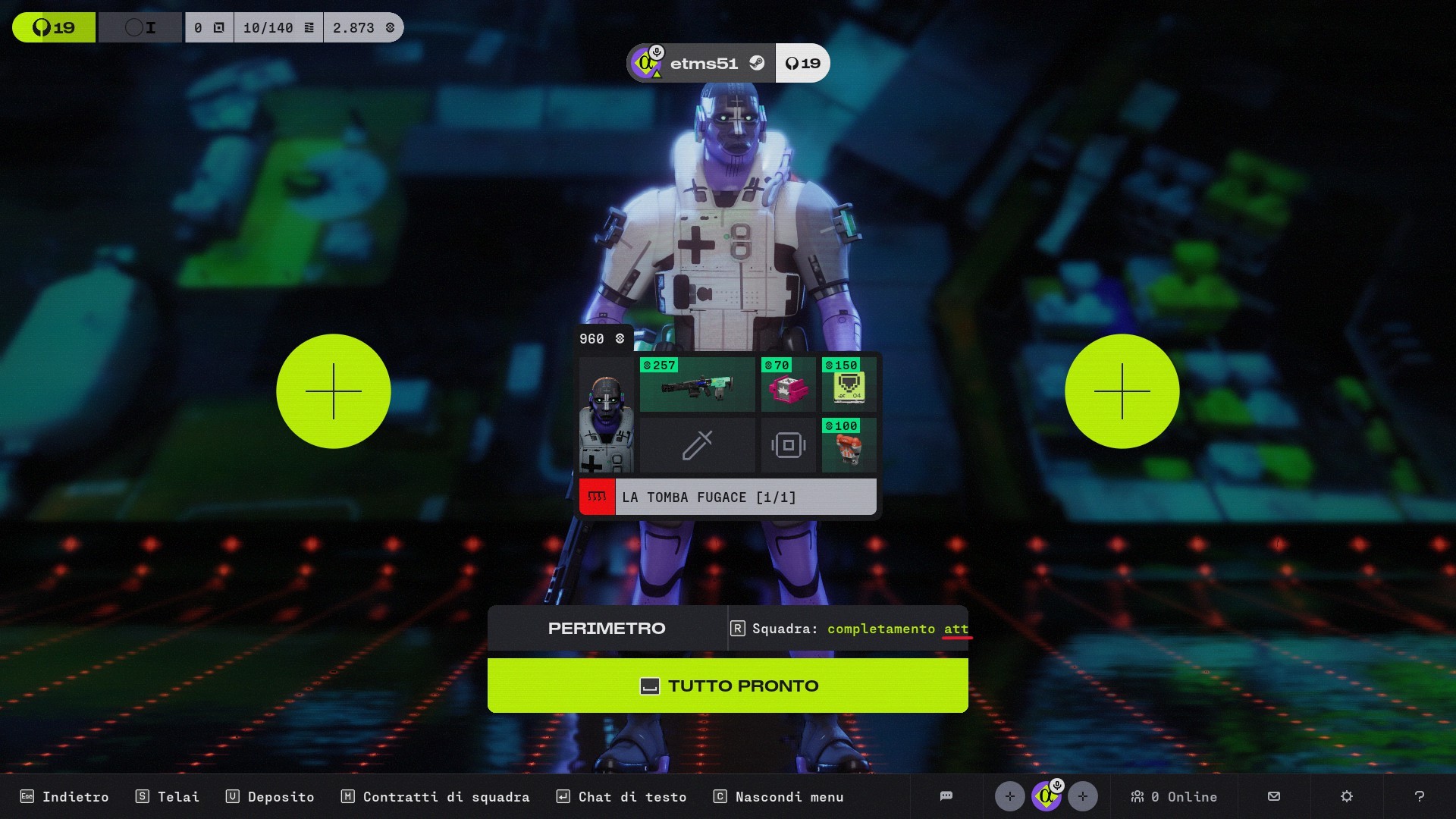
Image 2 =>
I hope this text will be displayed in full, instead of being truncated, and will be fixed in a future update.

Commentaires
Hello there,
Thank you for this report.
We have taken note of your report and will investigate this on our end.
Vous devez vous connecter pour laisser un commentaire.