Bungie Answered
Missing Twitch Drops in Marathon (3 out of 4 not received despite claiming and relinking)

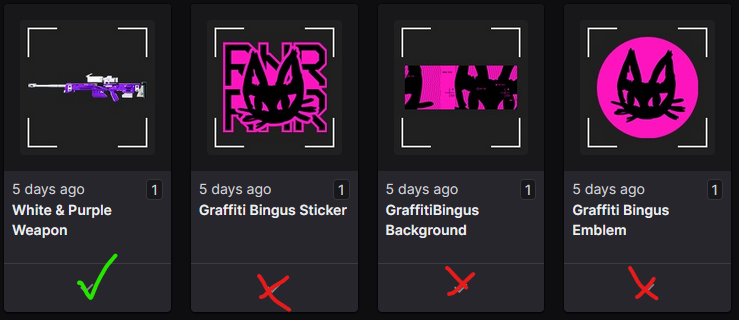
I'm experiencing an issue with Twitch Drops for Marathon not appearing in my game account. I've already taken the recommended troubleshooting steps, but 3 out of the 4 drops I claimed are still missing.
Here are the details:
- My Bungie account is properly linked to my Twitch account.
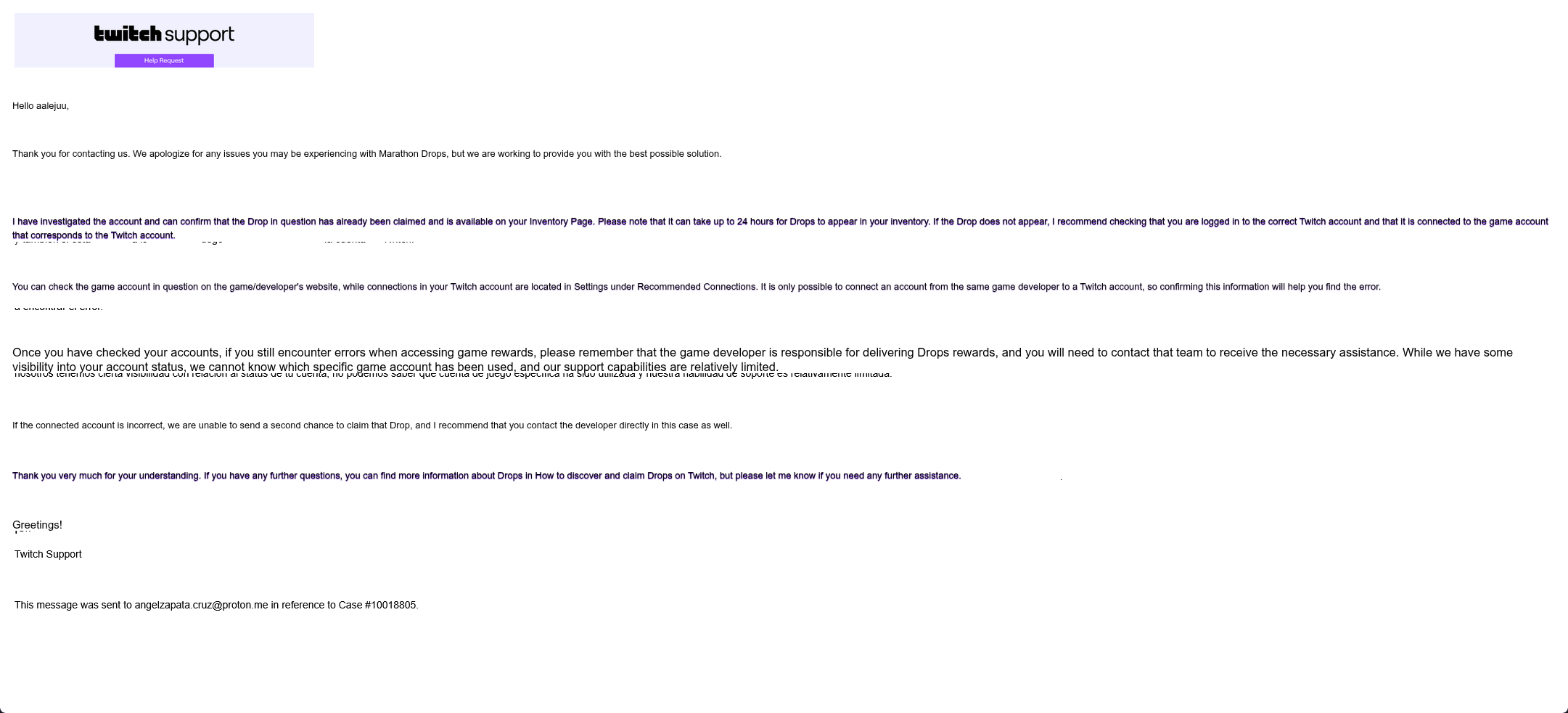
- I have contacted Twitch Support, and they have confirmed that all drops were successfully claimed on their end and appear in my Twitch Drops & Rewards Inventory as claimed.
- I have tried unlinking and relinking my Twitch account to my Bungie account (re-authorized the connection) to force a refresh/sync.
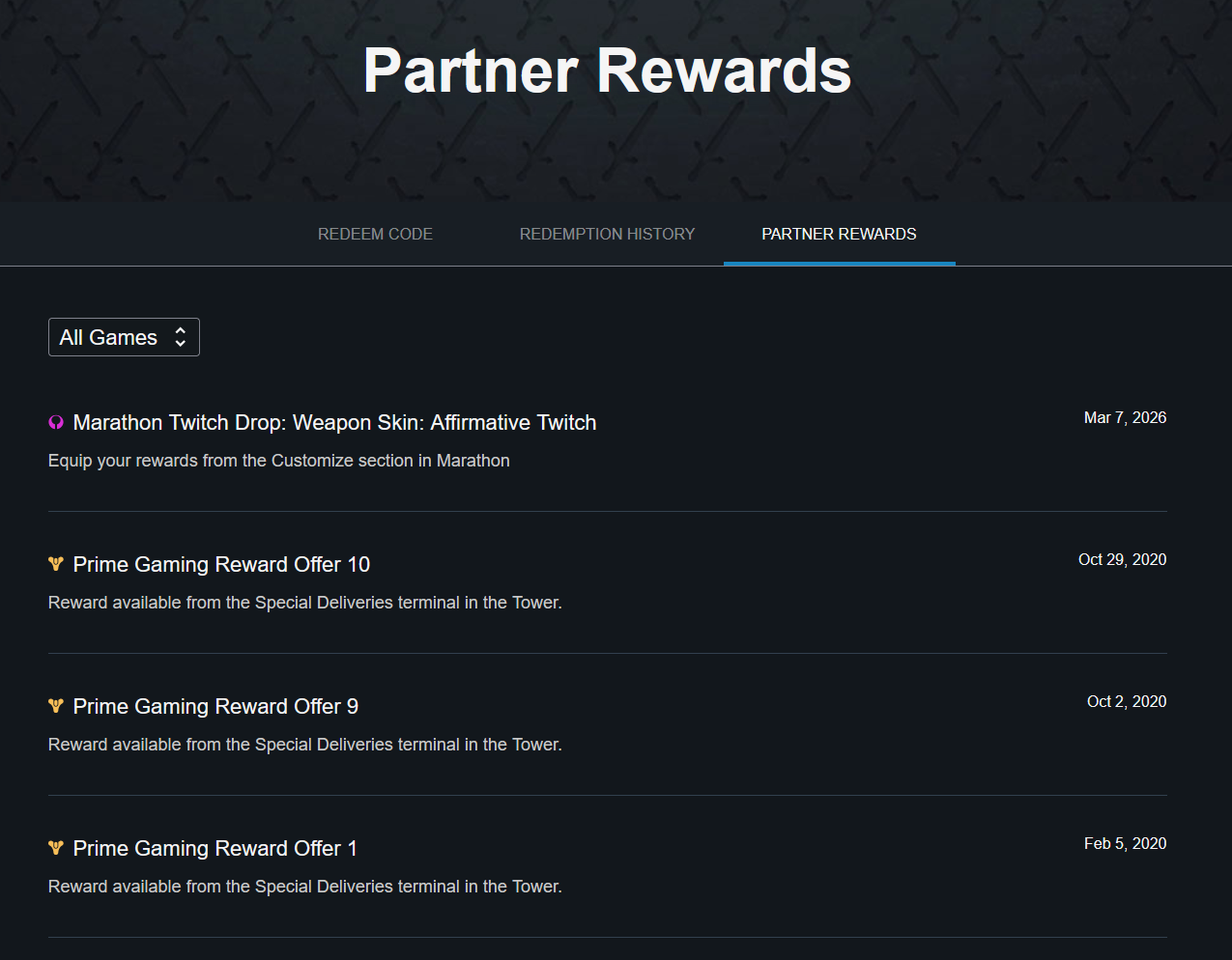
- Despite these steps, only 1 drop has been delivered to my in-game mailbox/collections, while the remaining 3 are not appearing anywhere in the game (neither in the mailbox, Partner Rewards page, nor in Collections/Flair).
I understand that some delays (up to 24-48 hours) can occur for drops to process and appear in-game, but this has persisted beyond that timeframe.
For reference, here is the full response from Twitch Support (translated from Spanish using DeepL for clarity)
Thank you so much for your help.
1

Comentarios
Hi there,
Thanks for reaching out!
To confirm that you successfully earned the Twitch Drop, locate your "Redeem Code" page in your Bungie.net account and then click on "Partner Rewards." Your Twitch Drops will appear on this page.
If you're unable to locate the Twitch Drop:
Click the "Refresh" button at the top of the page beside "Missing Twitch Rewards" and the page will update with any Twitch items you've earned.
If the Twitch Drop doesn't appear, log in to Twitch's website and view your Drops Inventory to see all the Drops you've earned. Click on the "Claim" button on any Marathon Drops that have that option below them, go back to your Partner Rewards area, and click the "Refresh" button to get the Drop to appear.
Unearned Marathon Twitch Drops will not appear on this page.
If the Drop still doesn't appear, you may need to connect or reconnect your Twitch profile to your Bungie.net account and follow the above steps.
Hello,
I’ve accessed the Partner Rewards link and confirmed that I was only able to claim the "Affirmative Twitch" skin. The rest of the Bingus set (sticker, background, and emblem), even though they appear as redeemed in my Twitch Drops & Rewards inventory, are not showing up on the Bungie website at all.
I’ve tried relinking my Twitch account to my Bungie account multiple times without any success. I’ve already contacted Twitch Support, but so far no resolution.
What else can I do to get these items to appear?
Thank you very much in advance for your help.
Same thing happened to me.
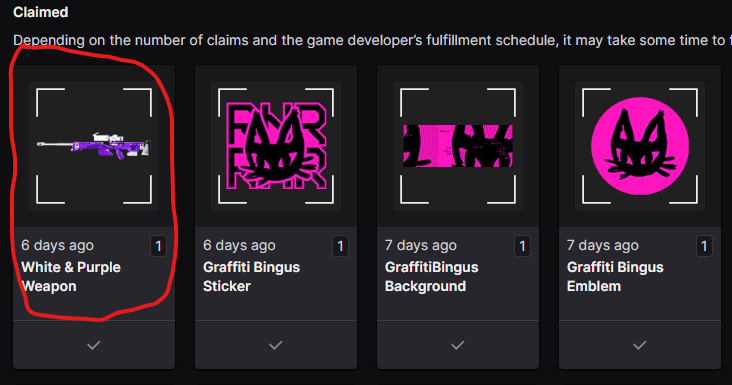
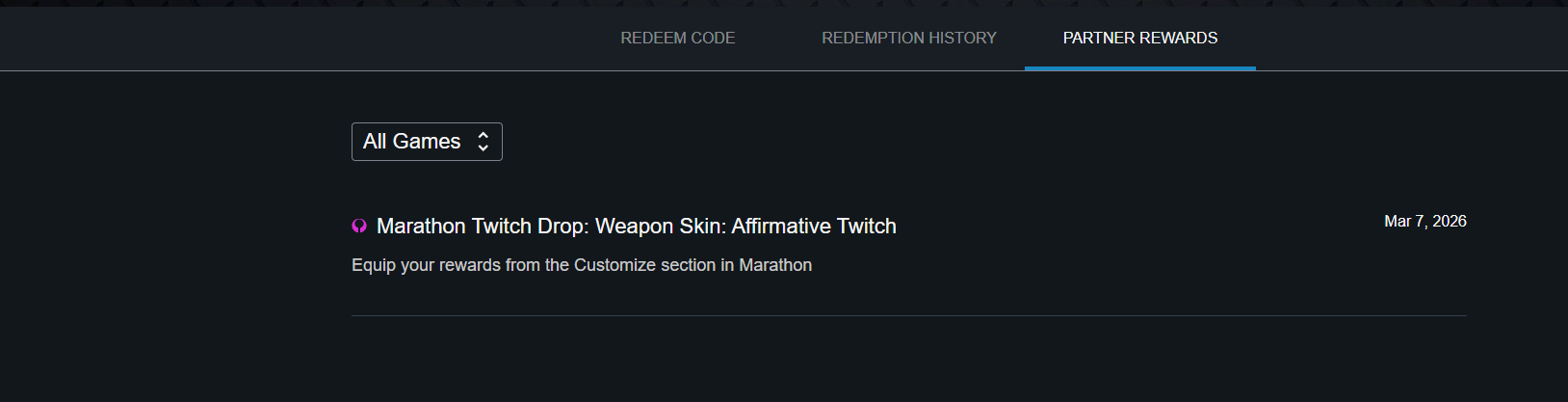
Just the sniper skin is unlocked
Iniciar sesión para dejar un comentario.