Decal not displaying correctly on Dire Marsh (Night)

Bungie Account Name - Lyelda#2017
Platform - Steam
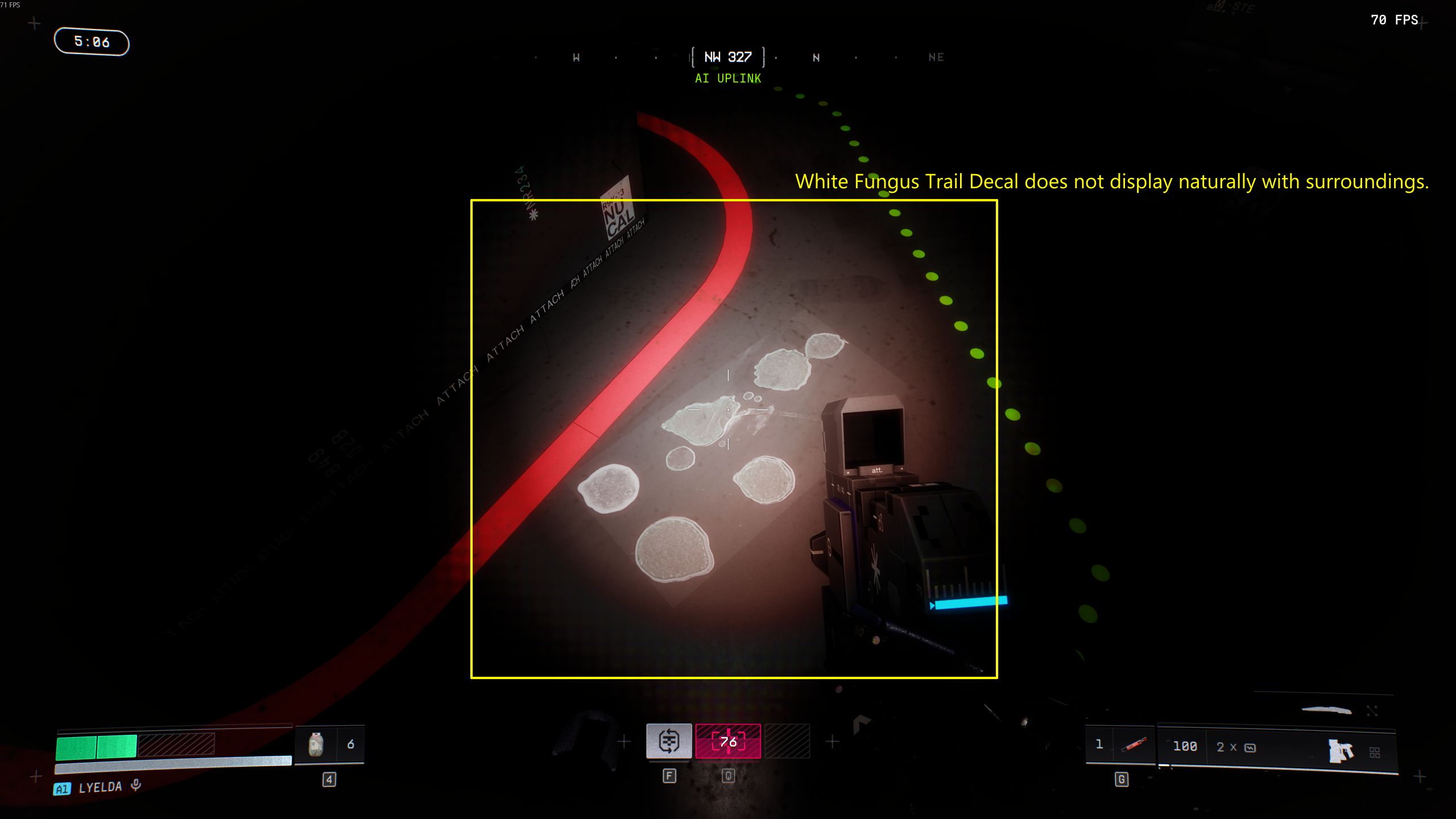
Description of Issue - When flashlight illuminates white fungus trail decal in AI Uplink underground, decal displays unnaturally
Rough Date and Time of issue - 6:10pm AEST 03/06/2026;06/03/2026
Repro steps -
Step 1. Launch Marathon 242163:GOLRETAIL
Step 2. Select Sponsored Survival under Dire Marsh onto the map Dire Marsh (Night)
Step 3. After entering the lobby, select Rook Runner Shell
Step 4. Load into the Underground of AI Uplink
Step 5. Turn on flashlight
Step 6. Walk around until white fungus growths appear on the walls and floor
Step 7. Shine flashlight over white fungus trail decal
Expected Result: White fungus trail decal should appear naturally with background
Actual Result: White fungus trail decal does not appear natural with surrounding

Comentarios
Hello!
Thanks for reporting this. I appreciate the detailed description and screenshot. I've saved your report and image and sent them over to the dev team so they can review.
Thanks for bringing this to our attention!
Iniciar sesión para dejar un comentario.