Getting BattleEye and bungie Plum error when using steam controller trackpad as mouse in Vault

Bungie Account Name - rustybeam#9498
Platform - Steam
Description of Issue
Steam Controller (2026) is the official controller for Steam. It has 2 trackpads that can be configured to behave either like a joystick or mouse.
The game doesn't seem to work well when both a controller and keyboard/mouse input are being used. When the controller mode is active, using the mouse would have some delay before switching to keyboard/mouse mode. In some games (such as Portal 2) I can use joystick inputs for movements and mouse for looking using the trackpad at the same time, there's no switching between the two modes. This is in game. The issue I encountered below is in the UI and Vault.
I configured the steam controller's right trackpad as a mouse with mouse clicking (like how I would use a laptop's trackpad.) When I tried moving moving items around in the vault using the trackpad and also using controller buttons right after, I got error code Plum, and some BattleEye error (bad packet?).
Using a mouse to manage inventory is easier and quicker than using the joystick, which is why I set up my steam controller like this.
After getting this error, I have stopped using the trackpad on my steam controller and reverted it to joystick input.
Rough Date and Time of issue - 2026-8-14 12pm PST
Repro steps
I configured the steam controller's right trackpad as a mouse, with mouse clicking. See the screenshots, all using normal Steam settings.
I moved items around in my vault, with the trackpad in mouse mode, while pressing controller keys to navigate the vault.
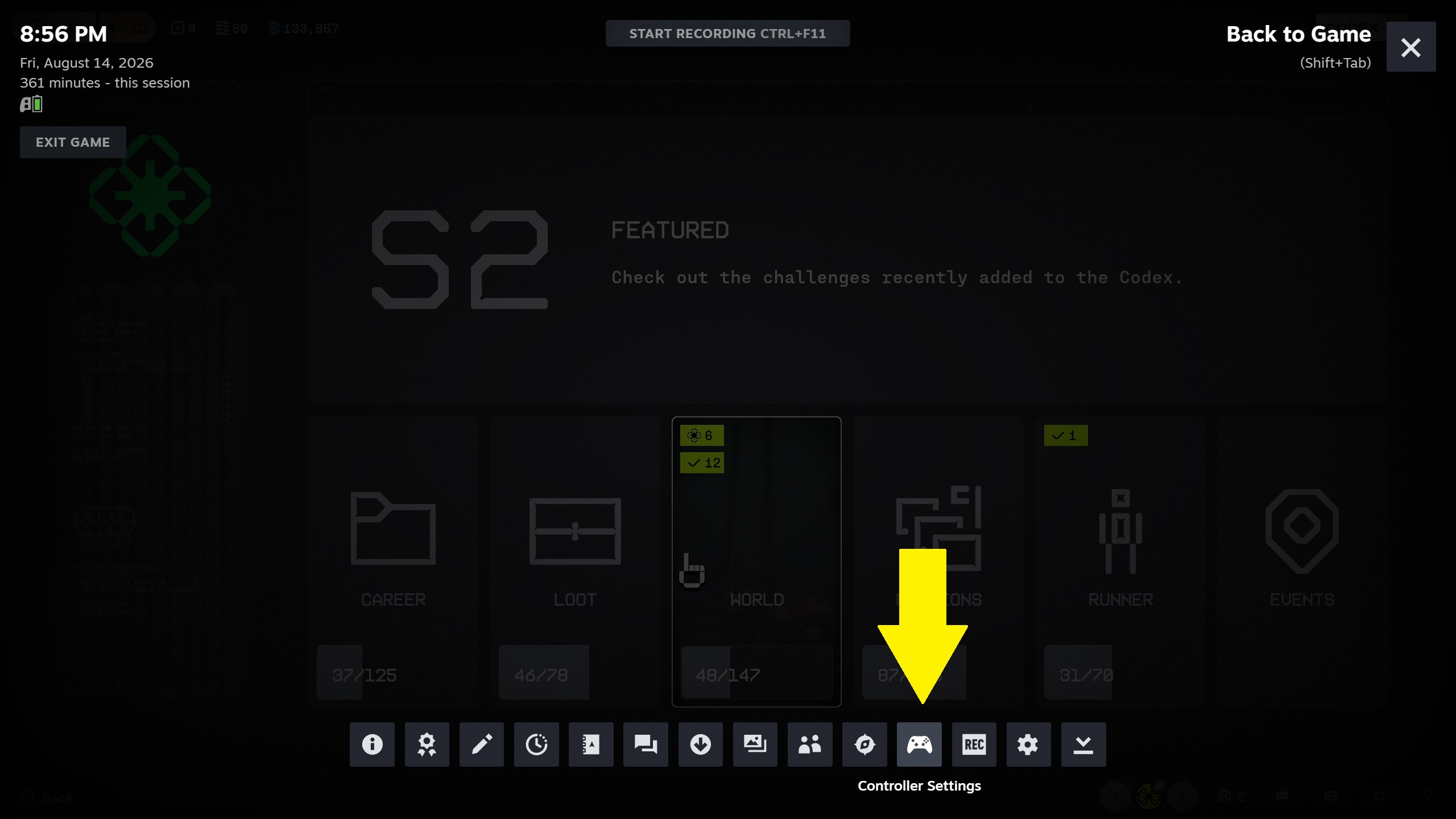
1. Open Steam Overlay (Shift+tab) then click Controller Settings (yellow highlights mine)
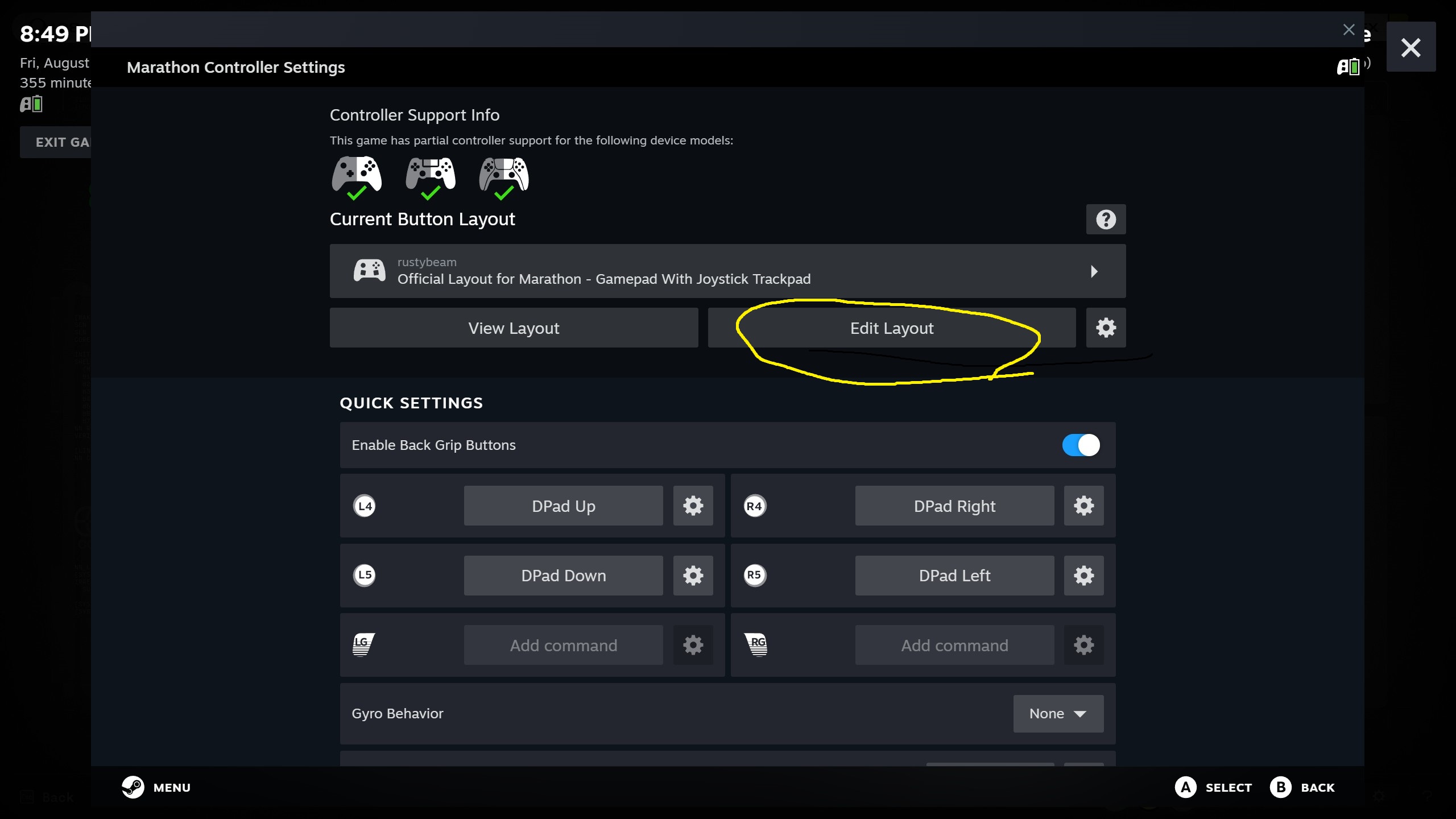
2. Click Edit Layout
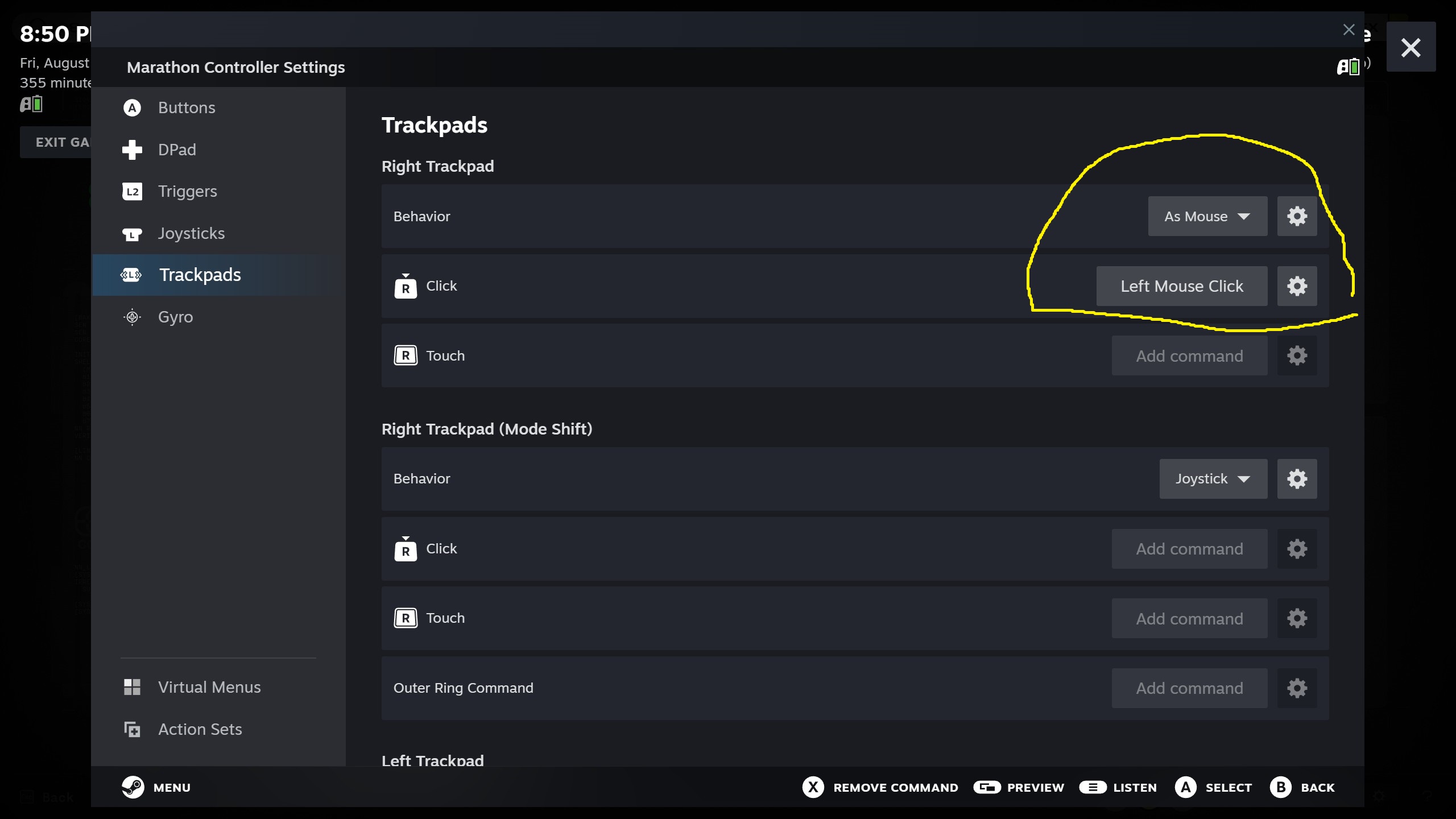
3. Click Trackpads, then under Right Trackpad, set Behavior to "As Mouse", and "R Click" as "Left Mouse Click"
4. Click Back to exit screens.
Under Controller Settings -> View Layout, this is what I see
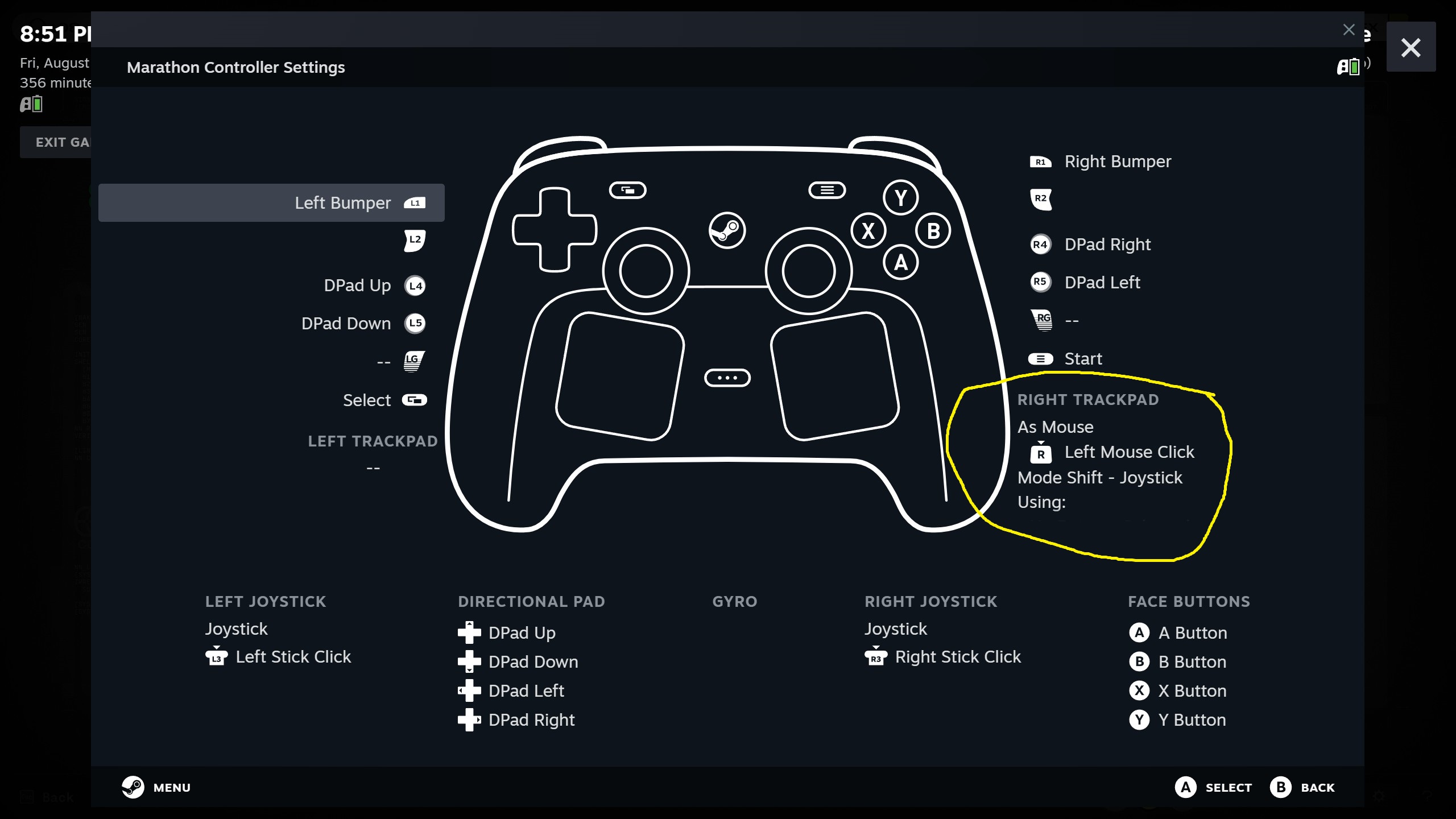
With these settings, move an item around in the vault using the right trackpad, and press Dpad up/down , or LB/RB shortly after using the trackpad. This is when I got the Plum error.

Comments
Hello there,
Thank you very much for reaching out to us. I'm sorry to hear that you are receiving this error code when you have your Steam controller configured in a particular manner. We've taken note of this detailed report and will continue investigating.
Hello again,
To help us further investigate, can you attempt to fully restart your computer, to see if the issue persists after the restart?
Hello, I restarted my computer and tried using the steam controller's right trackpad as a mouse. The issue does not happen again. I really appreciate your help!
Please sign in to leave a comment.