Bungie Answered
├─ Hardware:
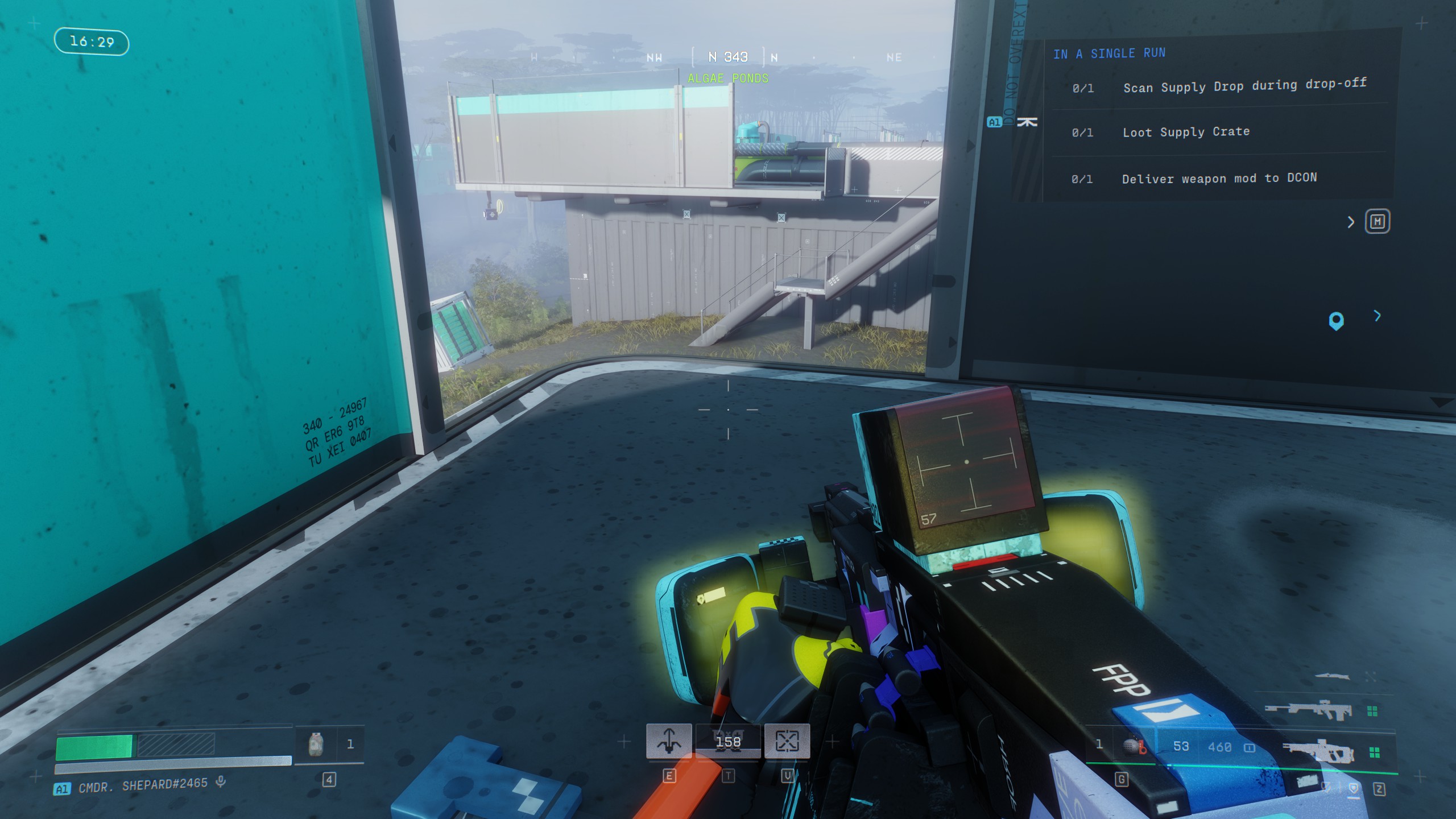
Dire Marsh Algae Ponds texture flicker

- Bungie Account Name - Cmdr. Shepard#2465
- Platform - Steam
├─ Hardware:
│ ├─ CPU: AMD Ryzen 5
│ ├─ GPU: NVidia Geforce RTX 4000 Series
├─ Software:
│ ├─ OS: Windows 10, version 22H2
│ ├─ Game Version: 1.0.5.2
│ ├─ GPU Driver: 591.74
├─ Game Settings: (Bolds are settings seemed relevant. Italics are settings changed from default values.)
│ ├─ Anti-aliasing: NVIDIA DLSS
│ ├─ Resolution scaling: DLAA
│ ├─ Screen space ambient occlusion: Highest
│ ├─ Anisotropic filtering: 16x
│ ├─ Texture quality: Highest
│ ├─ Motion blur: Off
│ ├─ Chromatic aberration: Off
- Description of Issue - Texture on the ground towards north west corner of south Algae Ponds in Dire Marsh flickers.
- Rough Date and Time of issue - April of 2nd.
- Reproduction steps
- Load into Dire Marsh.
- Go to north west corner of south Algae Ponds. See the video for more precise position.
- Look at the corner of the opening on the ground.
- LINKS / EVIDENCE:
- Video 1 [Streamable] (It will not be viewable on Streamable after 2 days) (Let me know if the recording wasn't watched by then)
- Video 1 [Youtube]
- Image 1 [Attached below]
0

Comments
Hello there,
Thank you for your report.
We have taken note of your report concerning these flickering textures. We will be sure to look into this. Thanks again for the heads up!
Please sign in to leave a comment.