Any Plans of Fixing This?

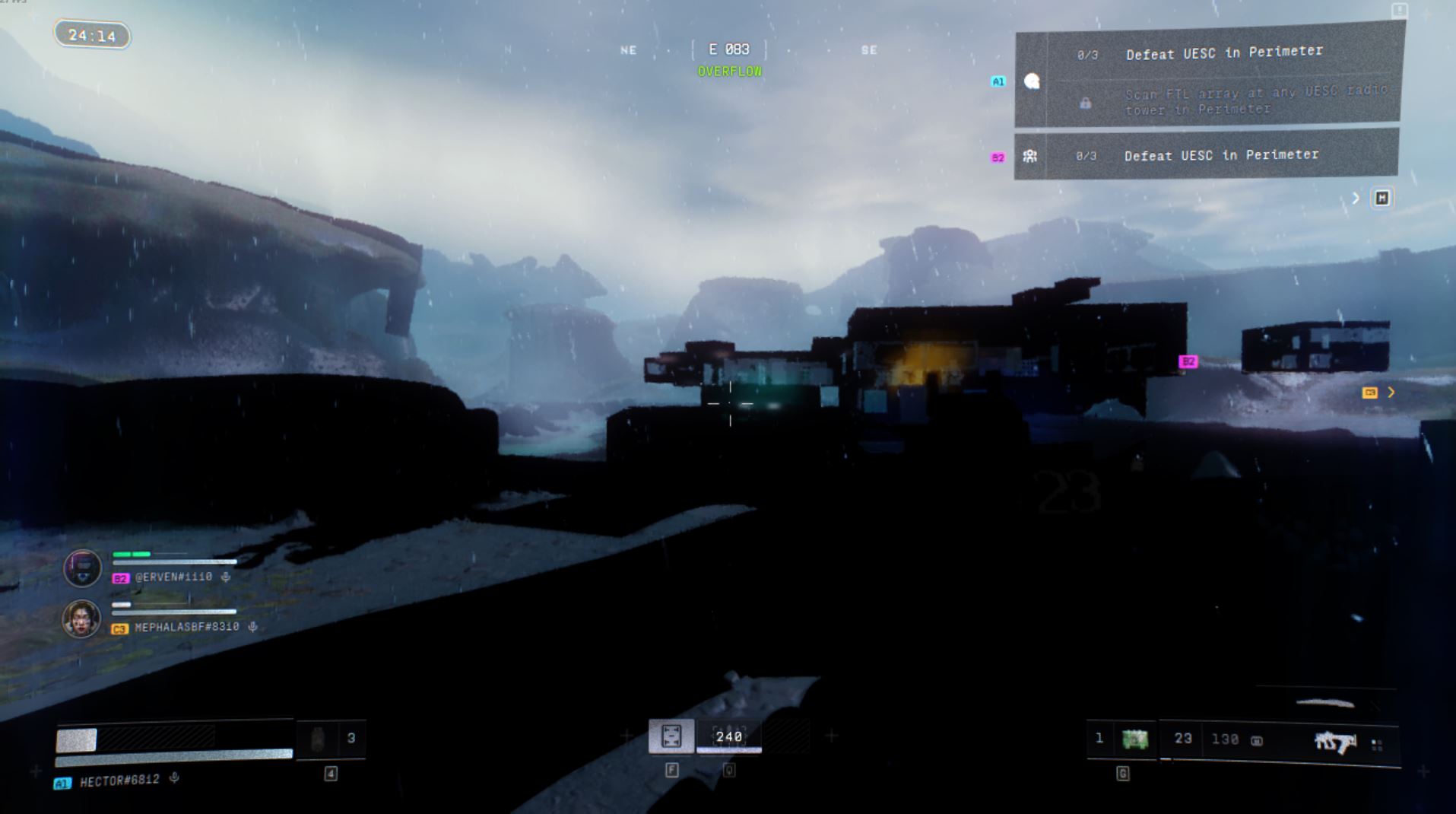
I have around an hour in Marathon currently and every-time I try to play I get these black figures and/or missing textures. I have noticed you have very similar posts all over the forums dating back to Feb 27th regarding this same issue. I was curious do you plan on fixing this problem and can we the AMD community expect some sort of resolution sooner than later. I have a AMD RX 570 which is listed on your website as being compatible, however it apparently is not after I tried to play. After spending 40 bucks on this game and an hour or my time, I would expect to be able to actually play it. If you could give me a time-frame (specific day, for example June 26th 2026) of when this fix would actually become available it would be greatly appreciated and mostly likely keep me from returning the game for a full refund through steam as I am still within the set time-frame and playing hours to do so.

Comments
Hello there,
Thank you for your report and additional information.
We have taken note of your report and detailed specifications. We are aware of performance issues and are currently investigating. Be advised that optimizations are always ongoing to ensure the game is smooth across different hardware and platforms. Your patience and understanding as we work to improve the game is appreciated.
Ngl, I was one of the people who reported this issue during the server slam and I keep coming back every so often to see if they've fixed this yet but I only ever see that generic "Bungie Support" response that doesn't give any indication about actual work being done or any clue as to when we can expect it to be fixed. I'm a person that hates when everyone calls something AI these days, but this bungie reply is honestly barely different from all the other responses on the matter. A lot of times, the response seems like it's not even connecting the dots between the posts and the reply.
Don't get me wrong I WANT to get this game, but I'm not buying something I can't play. It's been a month now and we haven't had a decent, thoughtful response. They haven't mentioned what the problem actually is or what they plan on doing to fix it. The only thing this problem has in common are the Radeon RX 5xx cards. That's a very specific issue. It's frustrating that we're still waiting on anything useful regarding this problem.
Bungie Support thank you for the very in-depth and information loaded response. I love how your entire system is setup so that I can never actually speak to a real person to get my issue resolved. #destiny all over again. Cant wait for the fix to my AMD problems to be locked behind a 300 dollar paywall and requires a daily subscription in order to purchase and use.
@drizzifer
Quick update, I did the recommended fix that people are suggesting on reddit where you revert back to 22.5.1 and it actually works. I have put around 18 hours in it since I made that post. I haven't really had any problems other than it occasionally loading slow, but I avg around 40-60 fps while playing and can get over 100 in the main screen being on low settings. My recommendation is not to buy this game, game itself is fun but it is very obvious they don't really care for the "older" player base as there is still no word on fixing this issue. Yes there is an AMD released fix for the newer generation of cards but nothing for us yet I have seen and no words from Marathon. If you do decide to buy the game and go the 22.5.1 route make sure to do a clean install using DDU (Display Driver Uninstaller) and follow a youtube video if you have never done it before as you can accidentally mess something up. It is pretty simple, just requires a little work. I tried to revert back to 22.5.1 without DDU and the game wouldn't let me load in as it said I had an outdated driver, so using DDU is a crucial step as you need to completely remove any trace of newer graphics updates so the game doesn't register it when loading up. If you do all that you can finally play the game, just ignore the windows pop up saying something about your graphics being out of date, it pops up every time you load the game up but just click ok and you can still play. Following all this, is it really worth doing this to play Marathon? My pc has been stuck at 22.5.1 for the past 3ish weeks, meaning when I try to play other games they don't run as well as they could. I could just update my pc to run these other games more efficiently and better, but then I would have to use DDU and revert my graphics back when I wanted to play Marathon. Quite a predicament I have been placed in just so I could play Marathon with a friend of mine maybe 2 or 3 times a week for barely 3ish hours each time.
Side note, if you do use DDU and do wipe your drivers and it results in windows loading to a black screen after leaving safe mode, all you need to do is get back into safe mode and do a driver only install of 22.5.1 and then you can load into windows and do a full install from there so you get the AMD software and etcc. I think if you plug into the graphics port on your motherboard you can skip the driver only install in safe mode step, but my motherboard only has VGA and I only have HMDI cables lol so I had to do the extra step to bypass the black screen. On that topic if you do go this route please make sure to install the drivers before hand from AMD official website. Building off that though, I think you can see where some of my frustration comes from in having to switch back and forth between graphics updates to play this game.
Please sign in to leave a comment.