RX 580 Driver Crash Fix (Use Adrenalin 23.5.2)

If you're using an RX 580 and experiencing crashes, instability, or strange performance issues with recent AMD drivers, this may solve the problem.
After searching through several Reddit discussions and user reports, many people found that the issue disappears when rolling back to an older driver version.
The driver that consistently works for many users is:
Adrenalin Edition 23.5.2 (released May 23, 2023)
Below is the process used to perform a clean driver installation.
Step-by-Step Fix
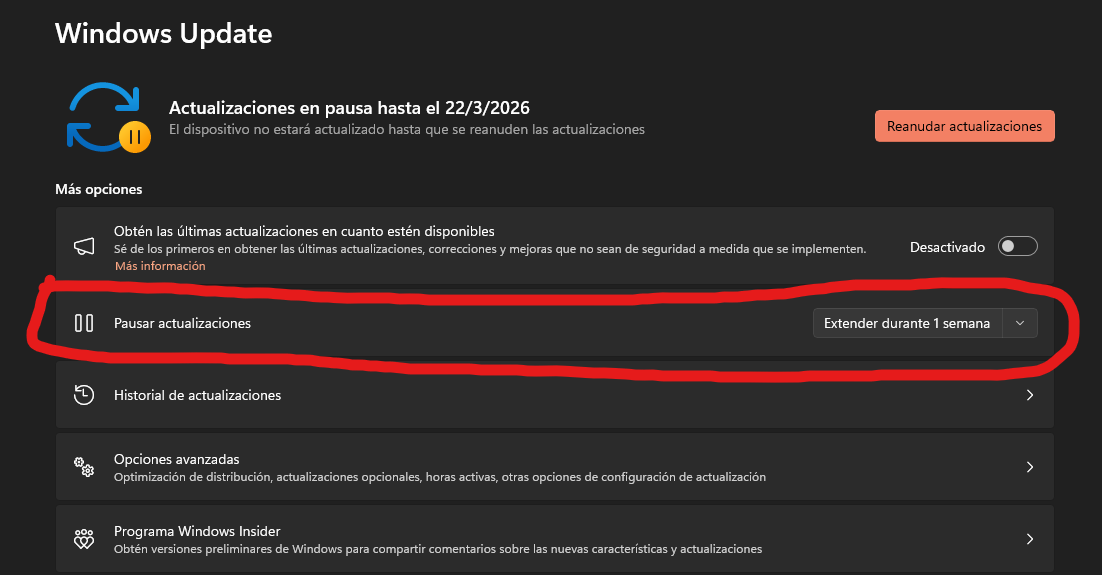
1.Temporary Step: Pause Windows Updates
2. Download the driver
Go to the official AMD website and download the following driver:
adrenalin-edition-23.5.2-win10-win11-may31
Do not install it yet.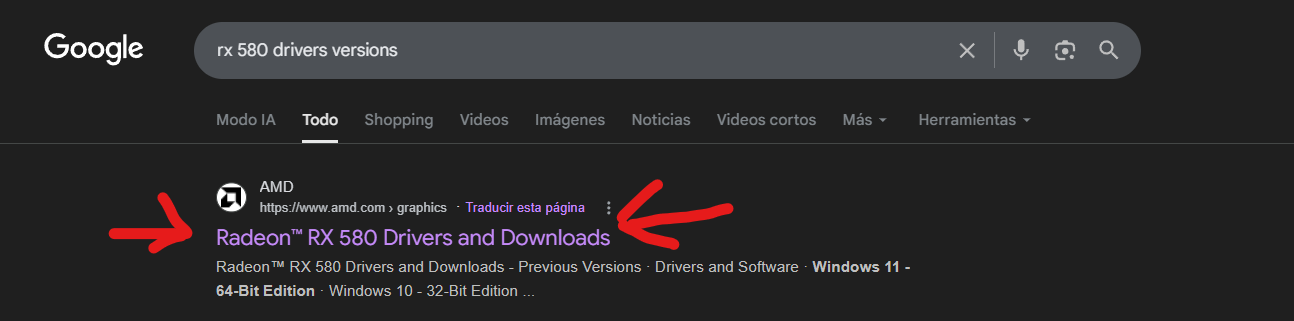
2. Create a System Restore Point (optional but recommended)
Before changing drivers, create a restore point so you can revert your system if something goes wrong.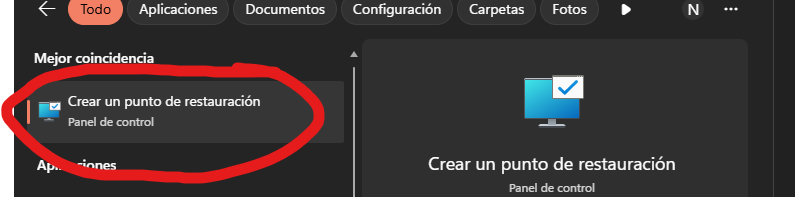 ---------------------------------------------------------------
3. Boot Windows into Safe Mode
Press Windows + R
Type:
msconfig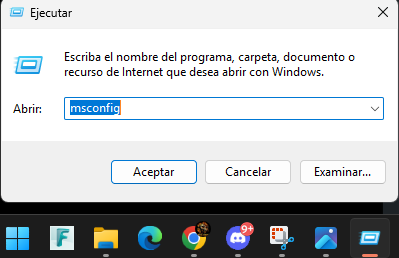
Then:
-
Go to the Boot tab
-
Enable Safe Boot
-
Select Minimal
Restart your computer.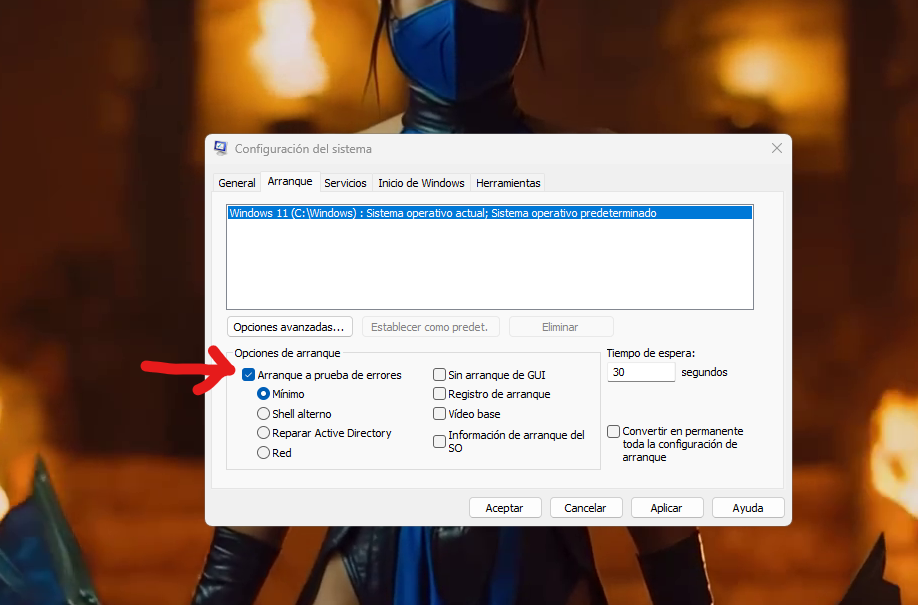
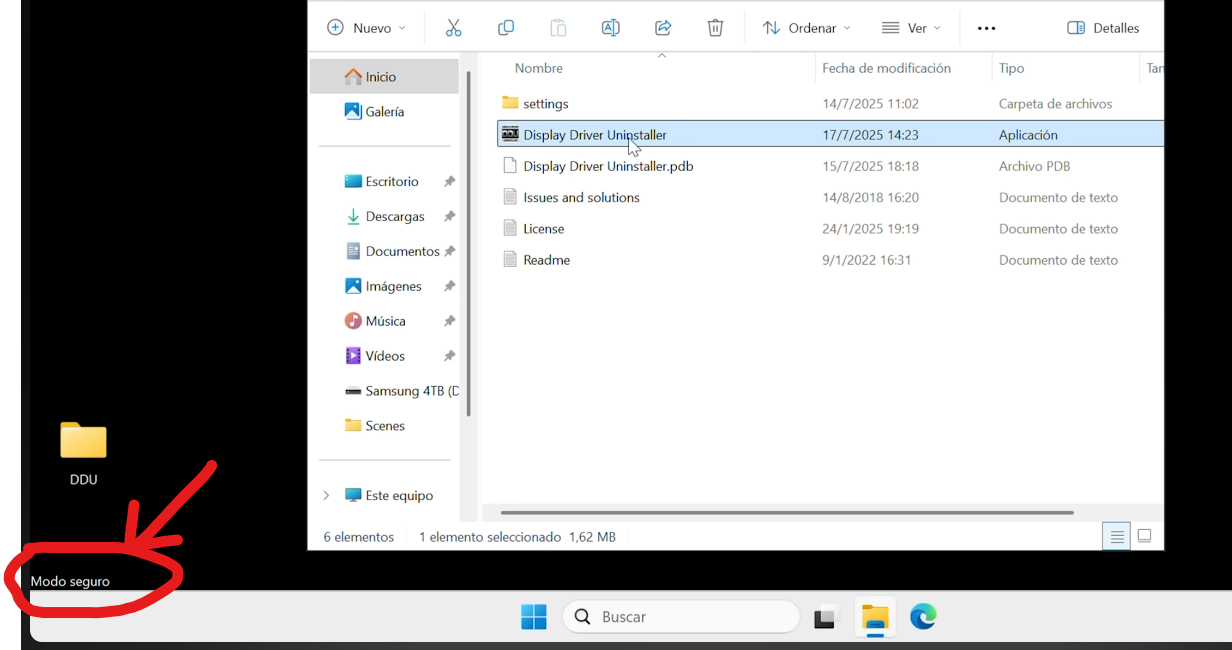
a. SECURE MODE ACTIVE !
------------------------------------------------------
4. Run Display Driver Uninstaller (DDU)
Launch Display Driver Uninstaller (DDU) while you are still in Safe Mode.
a. select GPU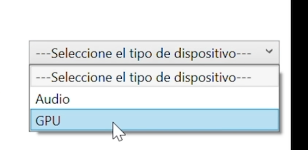 b. select AMD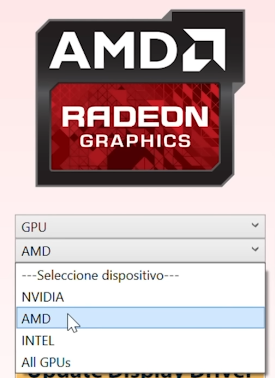
c.In DDU Options, enable all options that are specific to AMD only.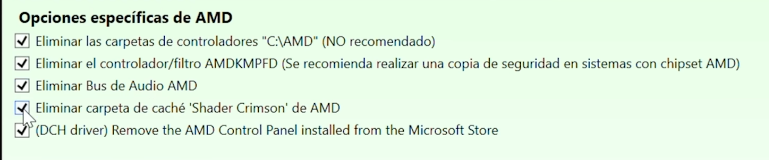
5. Remove the current AMD driver
Use DDU to completely uninstall your current RX 580 driver.
Once the process finishes, restart your PC.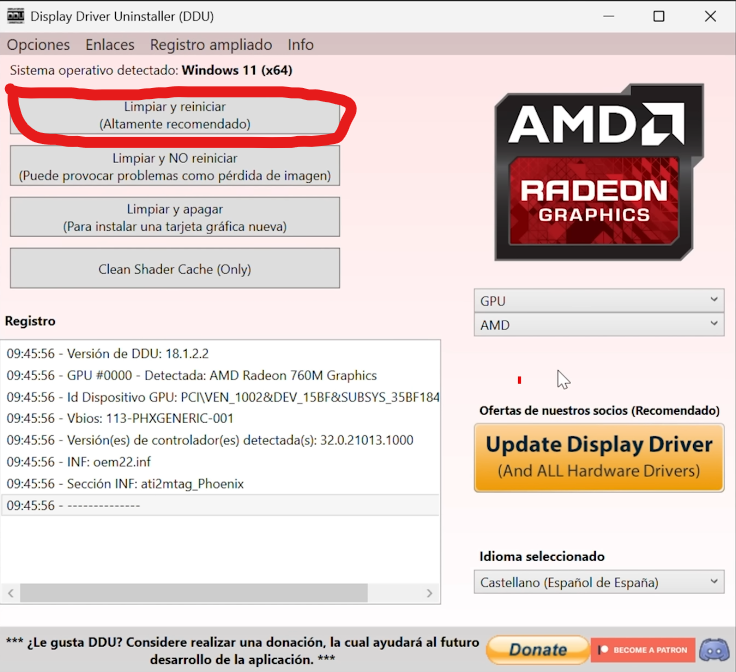
------------------------------------------------------------------------------
6. Install the stable driver (IMPORTANT)
Install the driver you downloaded earlier:
adrenalin-edition-23.5.2-win10-win11-may31 (remember 23.5.2) win11 or win10 64bits!
Do not update to a newer version if you want to replicate this fix.
------------------------------
Final Step
After installing the driver:
Open msconfig again and disable Safe Boot so Windows returns to normal startup mode.
Restart your PC one more time.
Notes
-
This is a clean driver installation, which is usually the best method when troubleshooting GPU driver conflicts.
-
Several RX 580 users reported that newer drivers cause instability, while Adrenalin 23.5.2 works reliably.
-
If you're dealing with crashes or random instability, this rollback is worth trying.
7. PLAY!!!
I hope you were able to resolve it. My best wishes.
—Nirmax n.n
I look forward to your feedback if it worked. <3

Comments
Hola, aún uso windows 10 y no tengo la opción de pausar actualizaciones, que puedo hacer en este caso, gracias!
Entras en inicio y escribis windows update y te salta de una n.n/
It works but this isn't a practical solution to the problem at all.
Does that mean they finally fixed the texture/shader issues with recent drivers for Polaris GPU's (RX4xx & RX5xx)?
Never had stability issues but texture issues with RX580 which are not present while using Adrenalin v22.11.2 ... tried all previous versions 26.1.1 until 22.11.2, the only "most uptodate" driver which worked for me.
BTW:
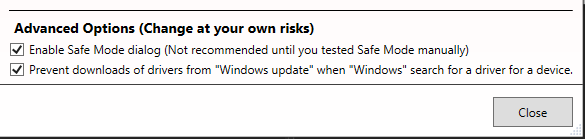
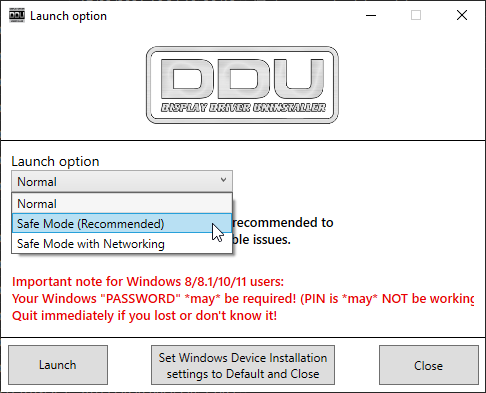
If you use DDU, it has options
which let you disable Windows Update for Drivers and also to start DDU after rebooting into Windows Safe Mode.
After checking this options, just restart DDU and select "Launch Option: Safe Mode":
and it will automatically reboot your Windows into Safe Mode where you can uninstall your drivers and after finish, reboot into normal mode to install new drivers.
No need for msconfig or manually deactivate Windows Updates. It can all be done with DDU.
Wow, Breo, I didn't know that! Thanks!
I made this account just to say thank you,I have been having this issue for past 10 days appreciate it man.
Please sign in to leave a comment.