New update problem CPU

I played on Medium settings, with no FPS limit, and the framerate held steady around 120, while the CPU temperature was 85–87°C — pretty normal numbers for a laptop under gaming load.
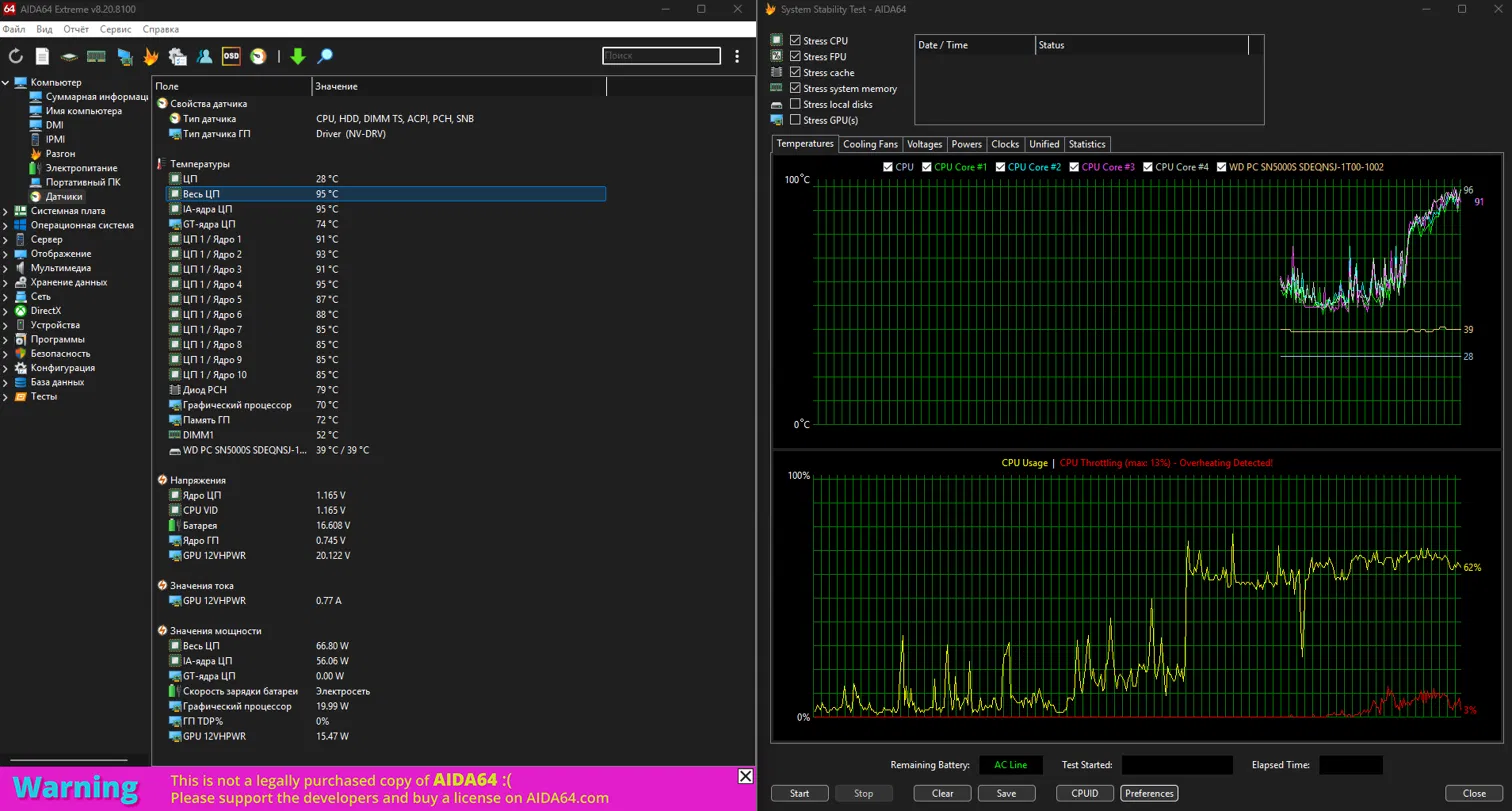
I even lowered the settings to Low and capped the framerate at 60 FPS, expecting the temperatures to drop — but instead the CPU is now heating up to 91–95°C. And this happens both during actual gameplay and just sitting in the main menu, where essentially nothing is happening. So on lower settings and with a lower FPS cap, temperatures ended up noticeably higher than before.
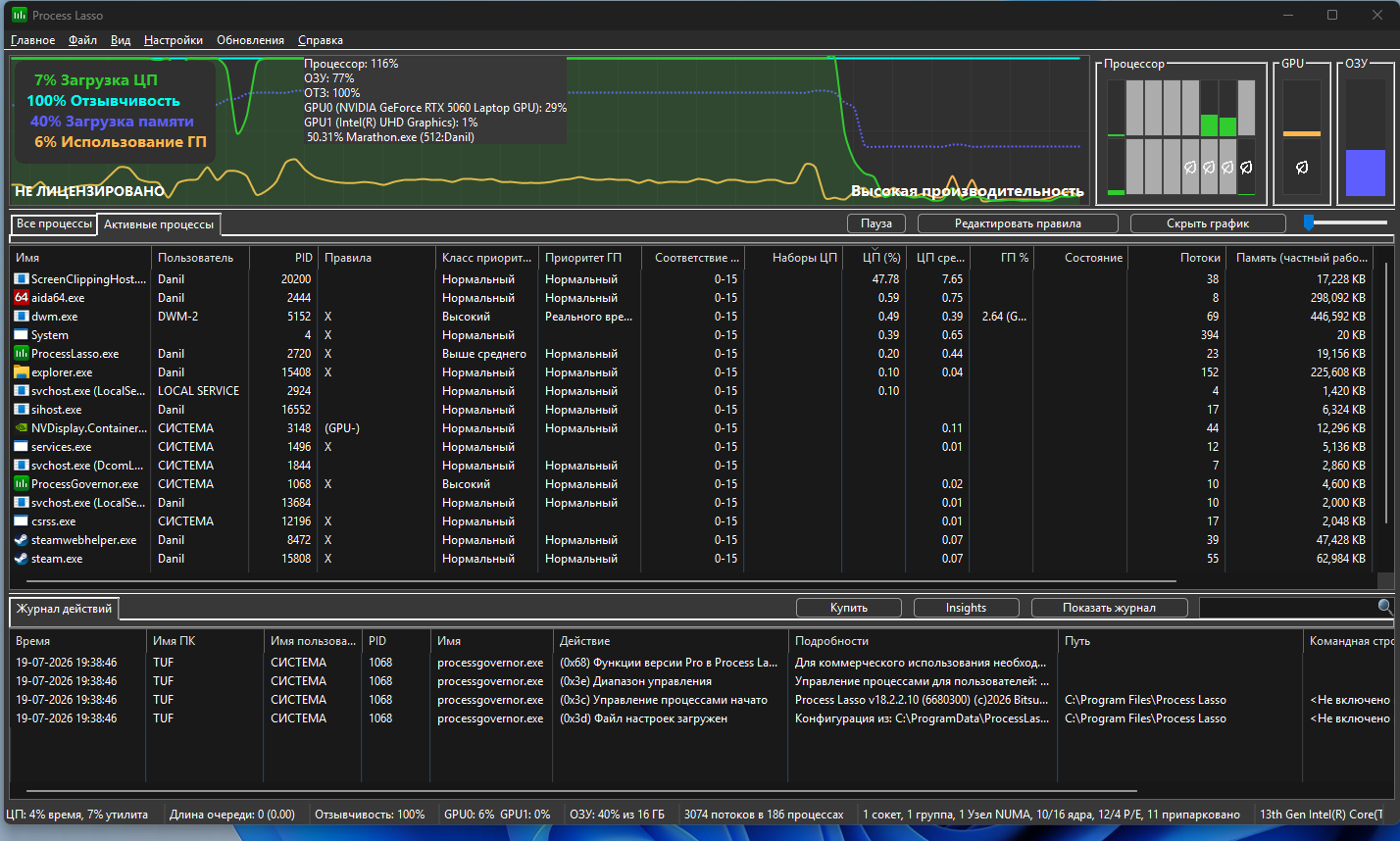
Meanwhile, the GPU is barely loaded at all: GPU core load stays around 27–35%, and actual GPU/D3D usage is 0–1% most of the time. So the GPU is essentially idle while the CPU overheats.
ASUS TUF Gaming F16 (2025), Intel Core i5-13450HX, RTX 5060 Laptop, Windows OS.
I recorded a log in HWiNFO, even though overall CPU usage according to Task Manager is only around 40–45%.

Kommentare
Hi there,
Thanks for reaching out.
While it may be possible to play on certain laptop configurations, we do not officially support them per our Marathon Storage and System Requirements guide.
Because this is an unsupported platform, we’re only able to suggest basic troubleshooting steps here and can’t provide more advanced troubleshooting.
That being said, here are some steps to try:
i dont understand how it isnt front page news that marathon "doesnt support gaming laptops"
but supplies a MINIMUM spec sheet of and i5 with a gtx1050???
frame gen has been bugged since it launched on the majority of gaming laptops
the CPU issues arent just laptops, if you have a single core CPU score thats below a certain limit the game just chugs. it has nothing to do with laptops.
older i9s and i7s for desktops are having the very same issues, were talking 3/4 year old hardware with the capability to use framegen and DLSS.
we know its and engine limitation but to pan it off on people using laptops as the main issue isnt really fair. majority of my clan wont even play due to all the fps issues and having to turn framegen off and on every single match just to emulate a smoother experience
I'm already starting to regret being happy when I first got Marathon, because after the update, when I wanted to play, I saw this mess, and support just ignored it and gave a generic copy-paste response. Should have gotten Arc Riders instead.
Bitte melden Sie sich an, um einen Kommentar zu hinterlassen.